
Move-in date
Pick the date the home is free, or leave it empty and the listing says “Available now”.
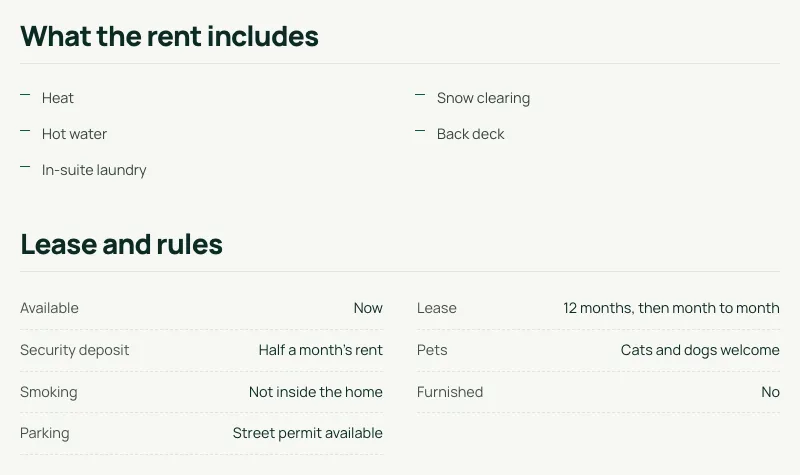
Mark a listing For lease and fill in its rental details. The listing page shows “What the rent includes” and “Lease and rules”, the card shows the rent as “a month” with short tags, and anything you leave empty simply doesn’t show. Every account, every plan.
30 days free, no credit card.
Pick the date the home is free, or leave it empty and the listing says “Available now”.
Tick heat, hot water, electricity, water, internet, cable TV, parking, laundry, storage, snow clearing, lawn care, furniture or air conditioning, and add your own extras.
Pets, furnished or unfurnished, smoking, parking, the lease and the security deposit, in plain words.
Rental cards show the rent “a month” and short tags such as “Heat included” or “Cats and dogs”.
In Listings, click New listing and choose For lease. The price is the monthly rent.
Under More details, open Rental: the move-in date, what the rent includes, pets, furnished, lease, deposit, parking and smoking.
Your listing page shows “What the rent includes” and “Lease and rules”. Empty fields stay hidden.
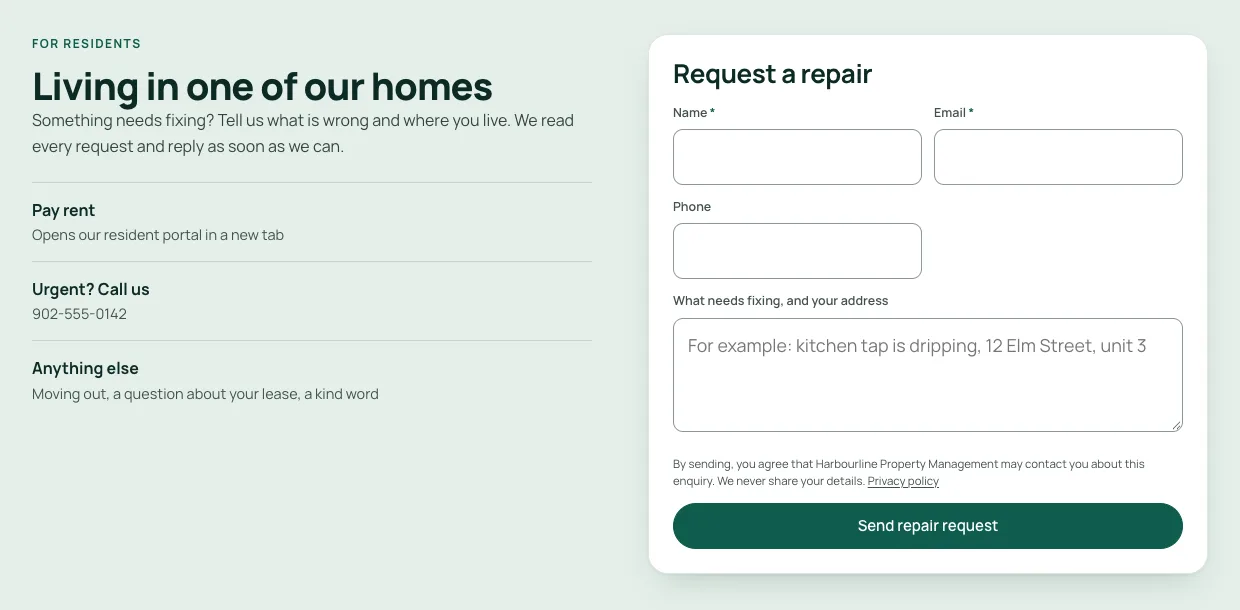
Choose “Property manager” at sign-up for a website made for rentals: the Robin template, an owner enquiry page, repair requests and a Pay rent button that links to your own resident portal. No MLS® feed, and we never collect rent.
Screenshots from our demo websites. Names and contact details are examples.
Every account: realtors, builders and property managers, on every plan, including the 30-day free plan. The Rental section appears in the listing editor when a listing is For lease.
Every template in our current catalogue shows the rental details on the listing page. Robin, our template for property managers, also shows them on its rental cards.
No. Fill in what applies. Anything you leave empty is simply not shown.
No. Your website doesn’t take applications or payments. On property manager websites a “Pay rent” button links to the resident portal or payment page you already use; RealtyTerminus never collects rent.
Yes, like any of your own listings: only Active listings count. Leased and draft listings don’t.
Start free for 30 days — no credit card. It’s included from day one.