
On the right day for your region
Three calendars: West Coast, East, and Prairies & mountains. We pick yours from your province and city; you can change it.
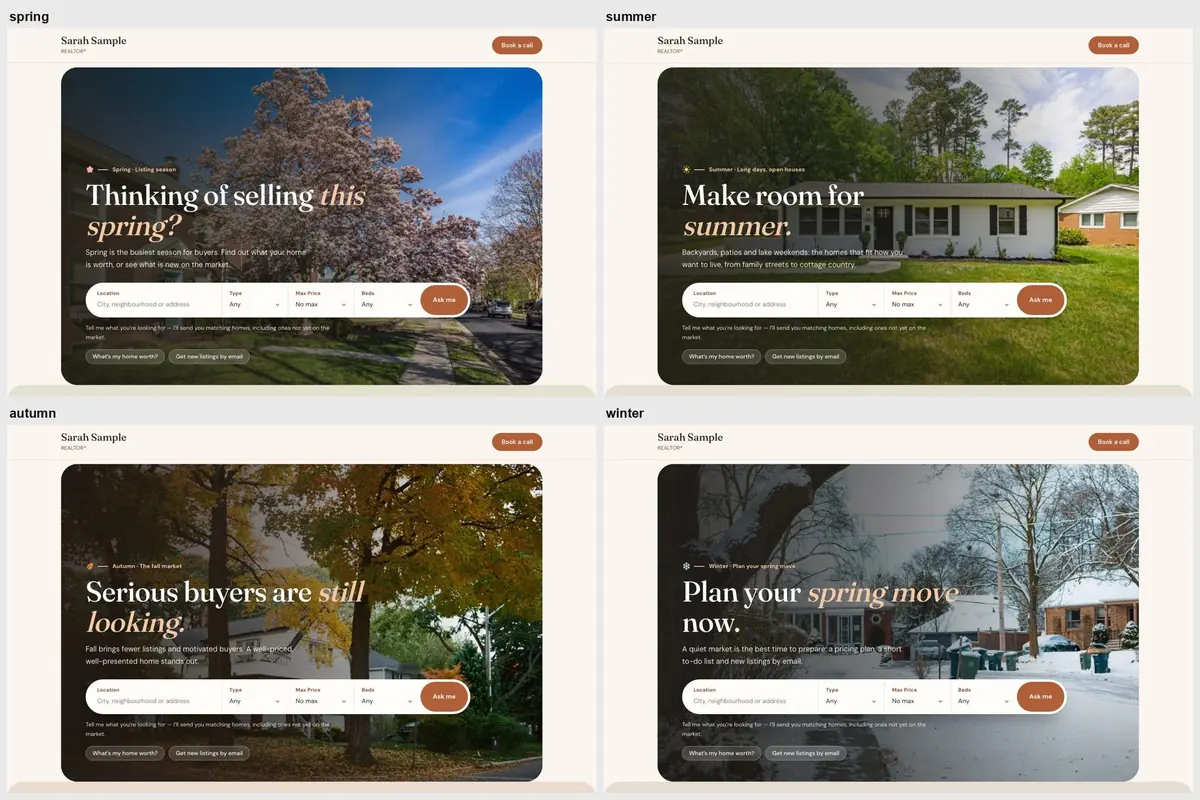
Spring is listing season. Fall brings motivated buyers. Your home page can say so on its own: a soft seasonal tint, a fresh photo and a headline that fits the market, switching on the right day for your part of Canada.
30 days free, no credit card. Premium is added later from Billing.
Three calendars: West Coast, East, and Prairies & mountains. We pick yours from your province and city; you can change it.
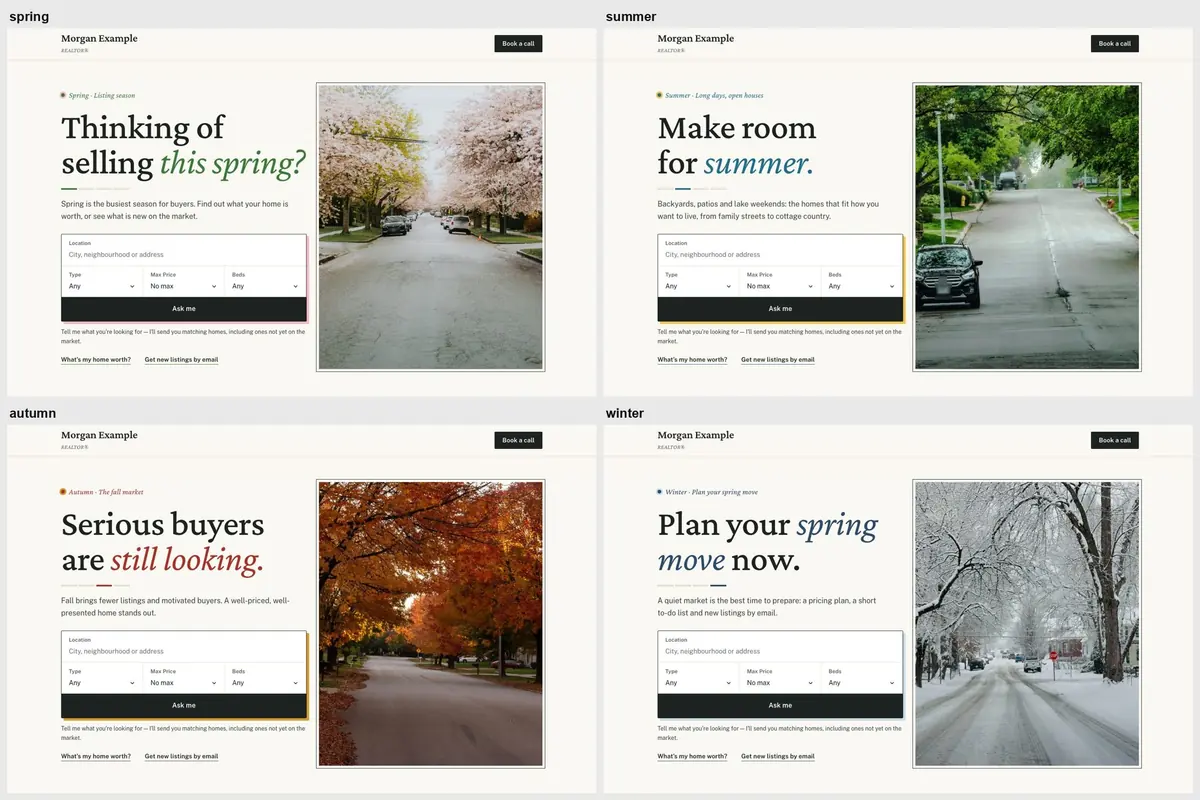
Spring speaks to sellers, summer to lifestyle, autumn to motivated buyers, winter to planning a move.
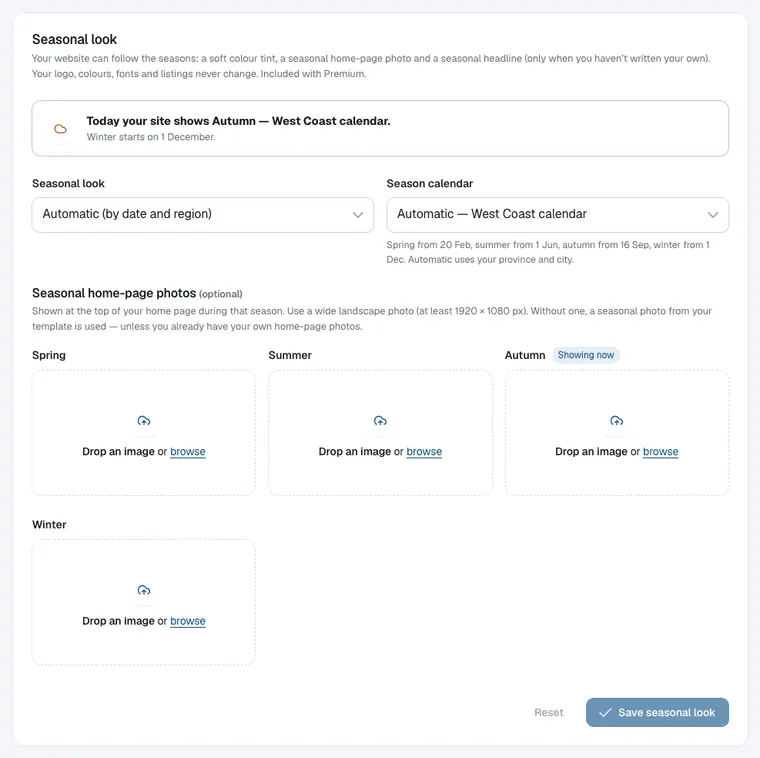
Upload a photo for each season. Your own home-page photos are never replaced by stock photos.
Works on every template in the catalogue. Your logo, colours, fonts and listings never change.
On a Basic or MLS plan, add Premium ($5/month or $50/year) from Billing.
In Branding, choose Automatic, lock one season, or switch it off. Check the calendar it uses.
Upload a wide photo for any season. From then on your site updates itself, four times a year.
Unless you’ve written your own headline, your home page uses the line for the season — with your city in it.
Spring · Listing season
“Thinking of selling this spring?”
Spring is the busiest season for buyers. Find out what your home is worth, or see what is new on the market.
Summer · Long days, open houses
“Make room for summer.”
Backyards, patios and lake weekends: the homes that fit how you want to live, from family streets to cottage country.
Autumn · The fall market
“Serious buyers are still looking.”
Fall brings fewer listings and motivated buyers. A well-priced, well-presented home stands out.
Winter · Plan your spring move
“Plan your spring move now.”
A quiet market is the best time to prepare: a pricing plan, a short to-do list and new listings by email.
We choose the calendar from your province and city. You can pick another one any time.
| Calendar | Spring | Summer | Autumn | Winter |
|---|---|---|---|---|
| West CoastCoastal BC | 20 Feb | 1 Jun | 16 Sep | 1 Dec |
| EastOntario, Quebec, Atlantic Canada | 25 Mar | 1 Jun | 11 Sep | 21 Nov |
| Prairies & mountainsAlberta, Saskatchewan, Manitoba, the North, BC interior | 10 Apr | 11 Jun | 1 Sep | 1 Nov |
The Seasonal look is part of Premium: $5/month or $50/year. CAD for Canadian websites, USD elsewhere; taxes extra. Available on the Basic and MLS plans. Almanac, a Premium template, is seasonal by design.
Screenshots from our demo websites. Names and contact details are examples.
West Coast: spring 20 February, summer 1 June, autumn 16 September, winter 1 December. East: 25 March, 1 June, 11 September, 21 November. Prairies & mountains: 10 April, 11 June, 1 September, 1 November. BC interior and mountain towns such as Kelowna, Kamloops and Whistler use the Prairies & mountains calendar.
No. The seasonal headline only shows when you haven’t written your own, and our seasonal photos never replace your own home-page photos. Upload your own photo for each season if you want one.
Yes. Choose Automatic, lock spring, summer, autumn or winter, or switch it off at any time.
It’s part of the Premium add-on: $5/month or $50/year. CAD for Canadian websites, USD elsewhere; taxes extra. Available on the Basic and MLS plans. Premium also unlocks every Premium template.
Your site goes back to its regular look. Your content, photos and settings are kept.
Yes. The three calendars are built around Canadian climates; pick the one that is closest to yours.
Start free for 30 days — no credit card. Preview every template with your content, then add Premium when you’re ready.