
Your website now follows the seasons
Spring sellers, summer lifestyle, fall buyers, winter planners. Your home page can now speak to each of them on the right day for your region.
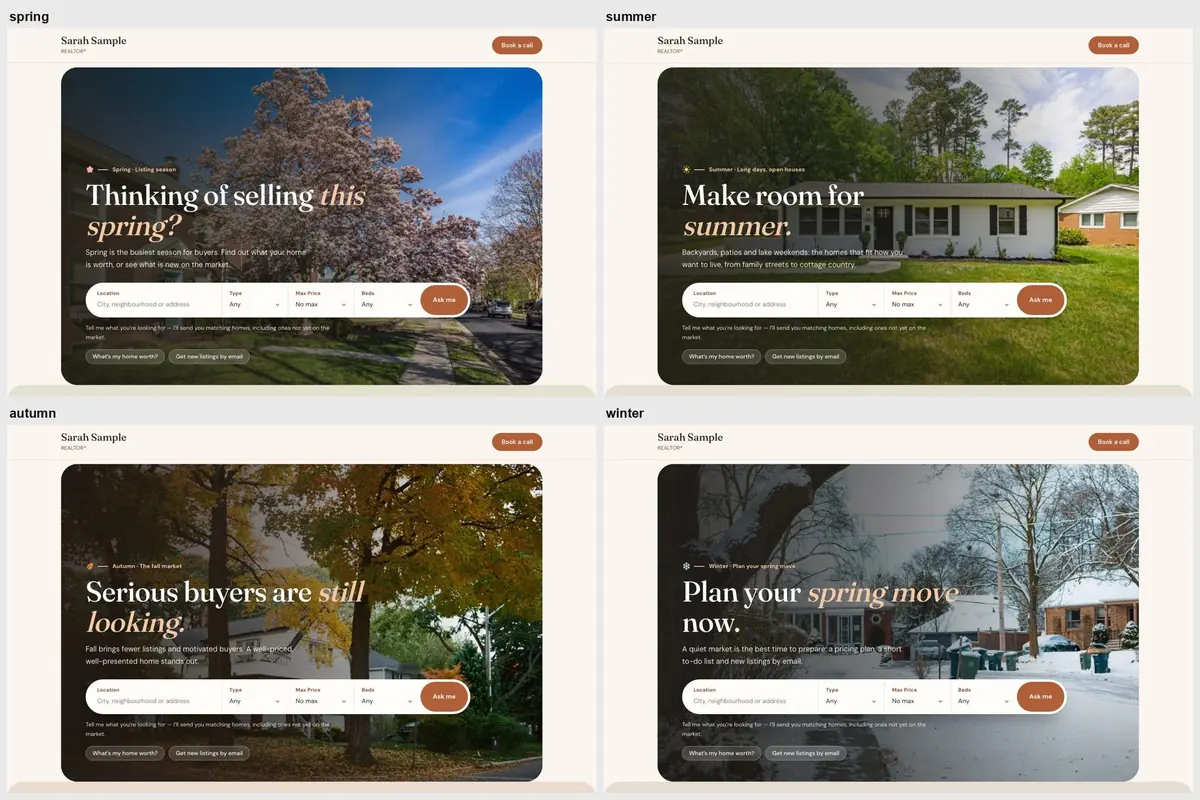
Real estate has seasons, and your clients feel them. In spring, homeowners wonder whether this is the year to list. In summer, buyers dream about backyards and lake weekends. In the fall, the people still looking are serious. In winter, the smart ones are planning their spring move.
Until now, a website said the same thing all year unless you remembered to change it. The new Seasonal look changes it for you — on the right day for your part of Canada.
What changes
When the season turns, three things on your website change together:
- A soft seasonal tint across the site — fresh greens in spring, warm tones in autumn.
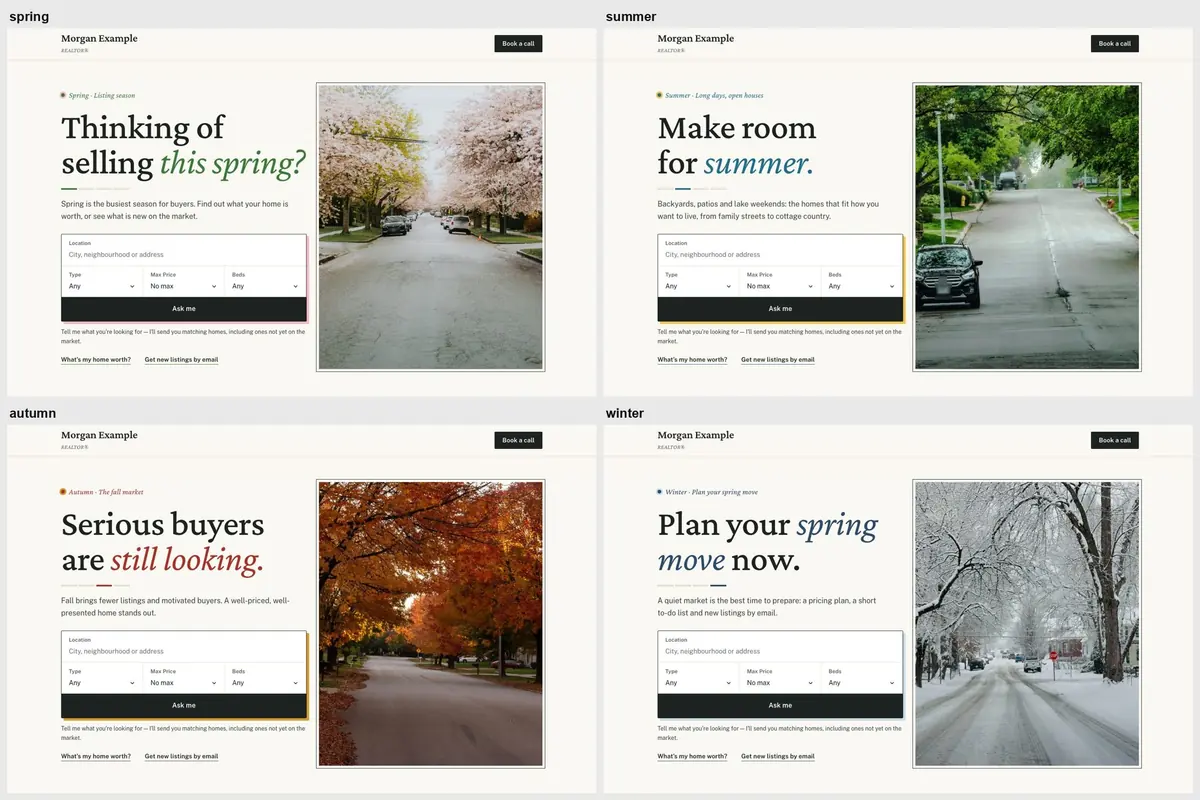
- The home-page photo — your own photo for that season, or a seasonal photo from your template if you don’t have your own home-page photos.
- The headline — a line written for the market that season, with your city in it, unless you’ve written your own.
Your logo, colours, fonts and listings never change. It’s still unmistakably your site.
Four seasons, four messages
| Season | Speaks to | Headline |
|---|---|---|
| Spring | Sellers | “Thinking of selling this spring?” |
| Summer | Lifestyle buyers | “Make room for summer.” |
| Autumn | Motivated buyers | “Serious buyers are still looking.” |
| Winter | Planners | “Plan your spring move now.” |
Each headline comes with a short supporting line and sits above the same search and “What’s my home worth?” buttons as always, so every season still leads to a lead.
Spring comes to Victoria before it comes to Calgary
A single national calendar would be wrong for most of the country, so the Seasonal look uses three. We pick yours from the province and city on your website:
- West Coast — spring from 20 February, summer 1 June, autumn 16 September, winter 1 December.
- East — spring from 25 March, summer 1 June, autumn 11 September, winter 21 November.
- Prairies & mountains — spring from 10 April, summer 11 June, autumn 1 September, winter 1 November. BC interior and mountain towns such as Kelowna, Kamloops and Whistler use this one too.
You can choose a different calendar, lock a single season, or switch the Seasonal look off whenever you like.
Your photos come first
If you upload a photo for a season, that’s the one visitors see. If you already have your own home-page photos and don’t add seasonal ones, we leave yours alone — a stock photo never replaces a photo you chose.
Works on any template
The Seasonal look works on every template in our catalogue. Almanac, a new Premium template, is seasonal by design: a calm, field-guide look where the whole page follows the year.
Availability and price
The Seasonal look is part of the Premium add-on, $5/month or $50/year. CAD for Canadian websites, USD elsewhere; taxes extra. Available on the Basic and MLS plans. Premium also includes every Premium template, and yearly billing saves two months. If you cancel, your site simply goes back to its regular look; your content and photos stay.
See how the Seasonal look works, or read about the Premium templates.