
Introducing Live edit: change your real estate website without a login maze
Click the words you want to change, right on your website. Save a private draft, finish it on another device, publish when you’re ready.
Most realtors know the feeling. You notice a line on your website that’s out of date — last spring’s headline, a stat that’s grown, a photo from two listings ago — and you log in to fix it. Then you spend ten minutes working out which settings page controls that one sentence.
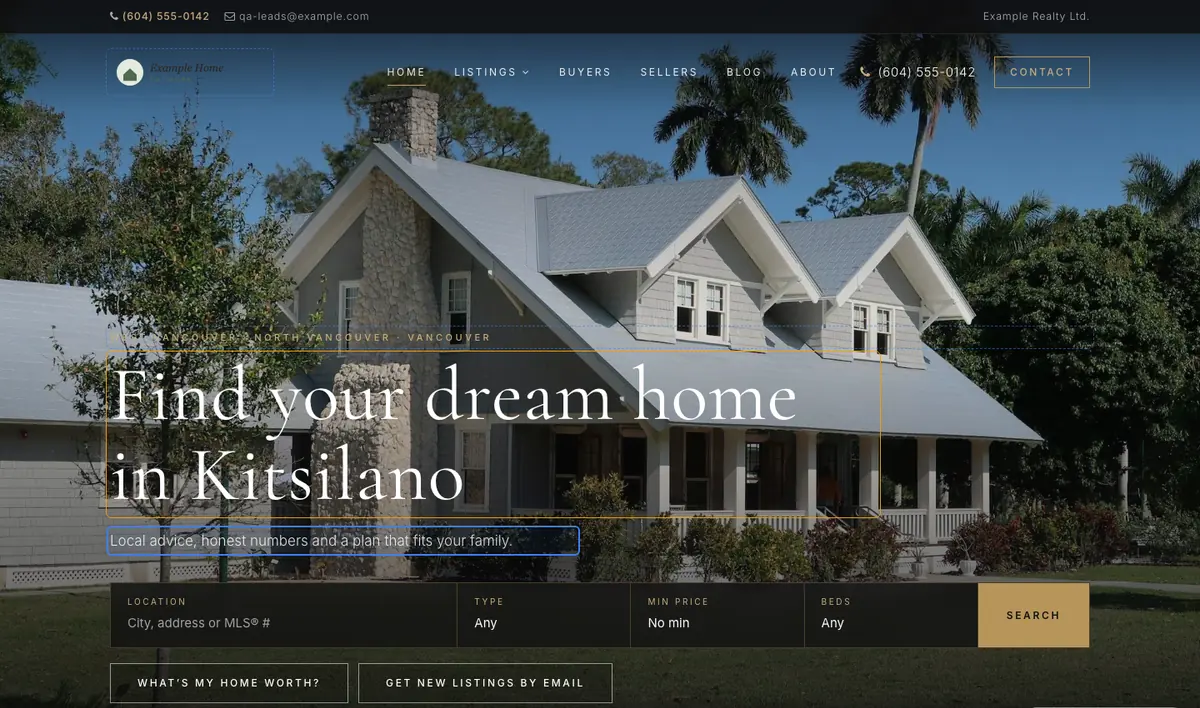
Live edit removes that step. You open your website, click the words or the photo you want to change, and change them right there. It’s available today on every RealtyTerminus plan, including the 30-day free plan, and it works with every template in our catalogue.
How it works
- Open Live edit from your dashboard. Your website opens in a new tab, with every editable part outlined.
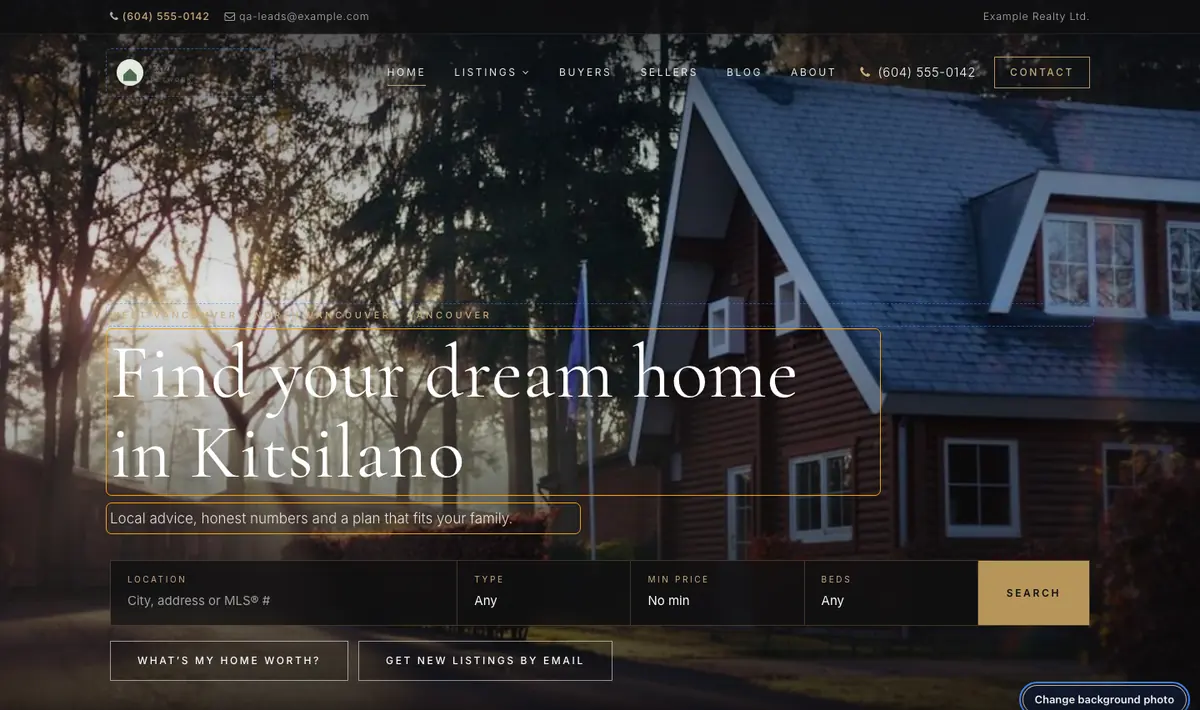
- Click and type. Change your headline, intro, bio, stats, or the text of a page or blog post. Click Change photo to swap the home-page photo, your headshot or your logo.
- Save draft or Publish. Save draft keeps your work private. Publish puts it live for every visitor, straight away.

Drafts that stay private — and follow you
The most important button is the quiet one. Save draft stores your changes on our server, separate from the website your visitors see. Nothing changes for them until you click Publish.
Because the draft is saved with your account rather than in your browser, you can start a rewrite on the office computer and finish it on your laptop at home. Your dashboard shows a Continue Live edit button with the number of unpublished changes, so a half-finished idea never gets lost.
If you change the same text in the dashboard while a draft is waiting, Live edit notices and asks you before it publishes. And if you decide the old version was better after all, Discard throws the draft away and your site stays exactly as it was.
What you can edit in place
- Your home-page headline, the small line above it, the sub-headline and your intro
- Home-page and intro photos, your headshot and your logo
- Your bio and the numbers in your stats
- Titles, text and images on your pages and blog posts
Listings, colours, fonts and settings stay in the dashboard, where they have proper forms with all the fields they need.
Why we built it
A website that looks current wins trust. A buyer who lands on a home page still talking about last year’s market quietly wonders whether you’re still active. Small, frequent updates — a seasonal headline, a fresh stat, a new photo from this week’s open house — are what keep a site feeling alive. Live edit makes those updates a two-minute job instead of a weekend task.
Change what you see, where you see it. Publish when you’re ready.
Try it
Live edit is in every account now. If you don’t have a website with us yet, see how Live edit works, browse the templates, and start free — your site is online on its own address in minutes, and you can start editing it in place the same day.