
Click and type
Headlines, your intro, your bio, the numbers in your stats, page and blog text — edit them on the page itself.
No hunting through settings to find which box controls which line. Open your site, click the words or photo you want to change, type, and publish. Your drafts stay private until you say so.
30 days free, no credit card.
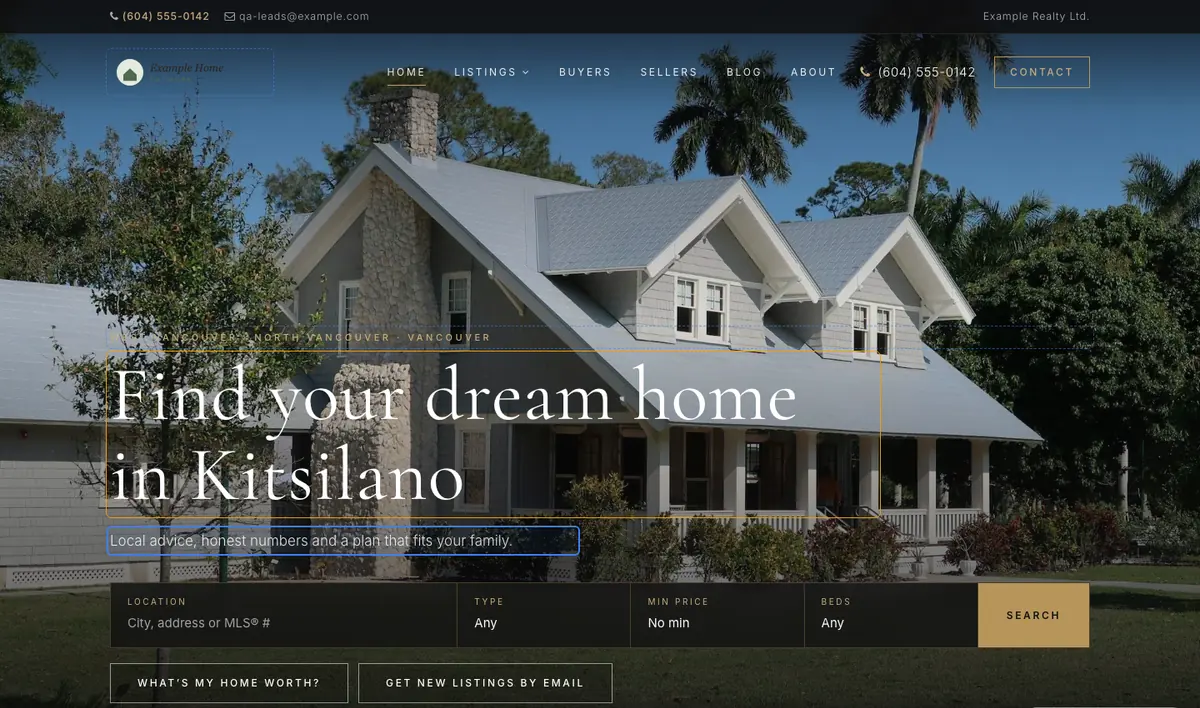
Headlines, your intro, your bio, the numbers in your stats, page and blog text — edit them on the page itself.
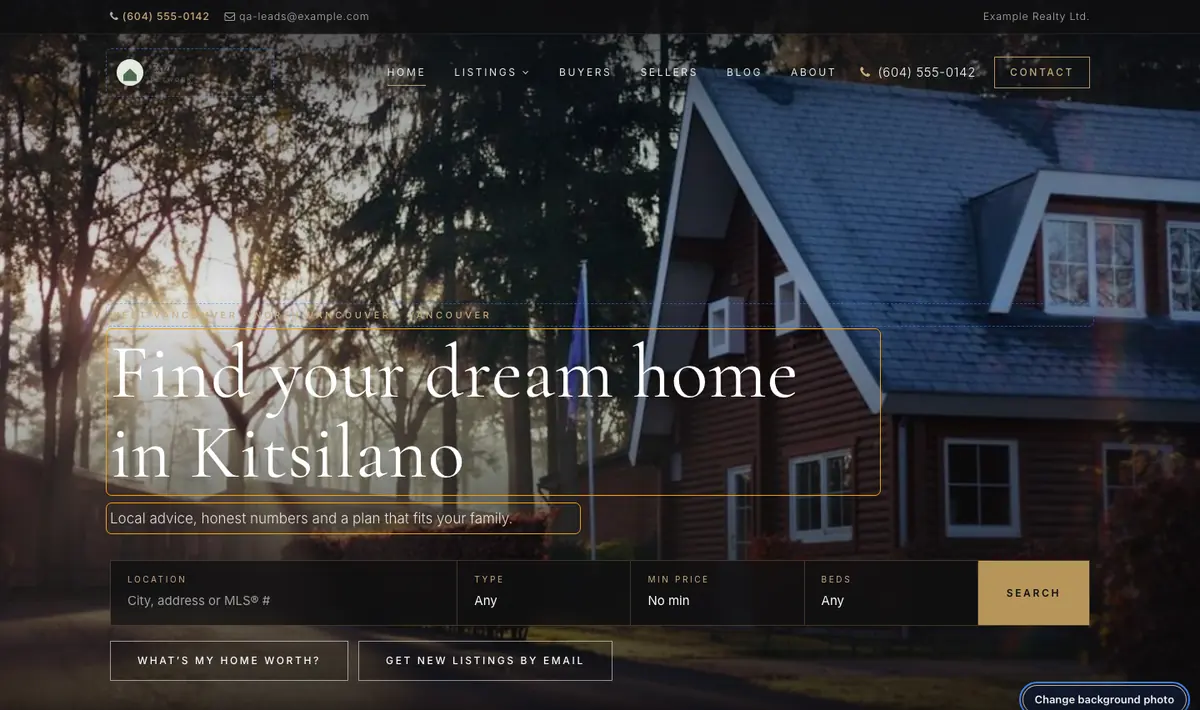
Replace the home-page photo, your headshot, your logo and page or blog images without leaving the page.
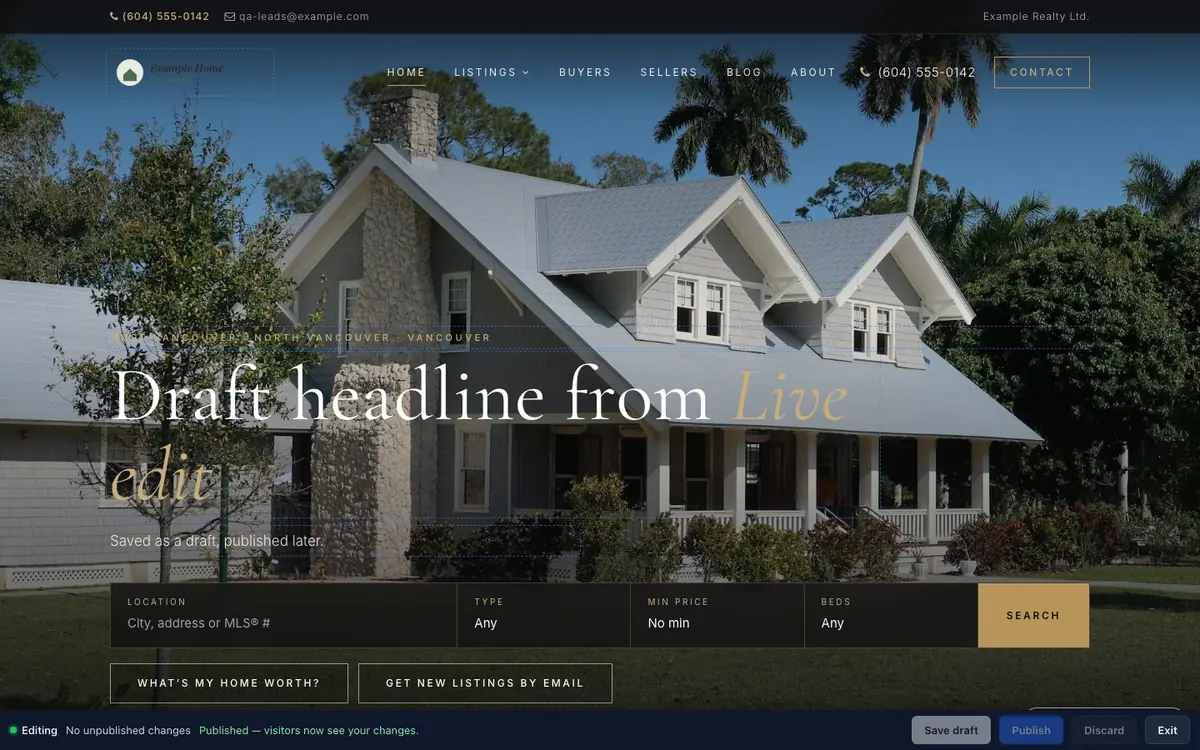
Save draft keeps your changes on our server, never on your live site. Visitors only see them after you publish.
Your draft isn’t stuck in one browser. Start on the laptop at the office, finish at home.
In your dashboard, click Live edit. Your website opens in a new tab, with every editable part outlined.
Change words where they sit, or click Change photo. Save draft whenever you like.
Happy with it? Click Publish and visitors see the new version straight away.
The words and photos that make your site feel current. Listings, colours and settings stay in your dashboard, where they have proper forms.
Screenshots from our demo websites. Names and contact details are examples.

Read the launch article: Introducing Live edit: change your real estate website without a login maze
Every plan, including the 30-day free plan. It works with every template in our current catalogue.
No. Save draft stores your changes on our server, separate from your website. Nothing changes for visitors until you click Publish.
Yes. Drafts are saved with your account, not in your browser. Your dashboard shows a “Continue Live edit” button with the number of unpublished changes.
Your home-page headline, intro text and photos, your bio, your stats, your headshot and logo, and the titles, text and images of your pages and blog posts. Listings, branding colours and settings are still edited in the dashboard.
Live edit notices when something changed since you started your draft and asks you before publishing, so nothing is overwritten by surprise.
Yes. Discard removes the draft and your website stays exactly as it was.
Start free for 30 days — no credit card. It’s included from day one.