
A page for every neighbourhood
Photo, description, highlights like walk score and schools, a map pin and a YouTube video.
Buyers search for a neighbourhood or a building by name. Give each one its own page on your website, with photos, the facts people ask about, a map and the listings there. Two add-ons for the Basic and MLS plans.
30 days free, no credit card.
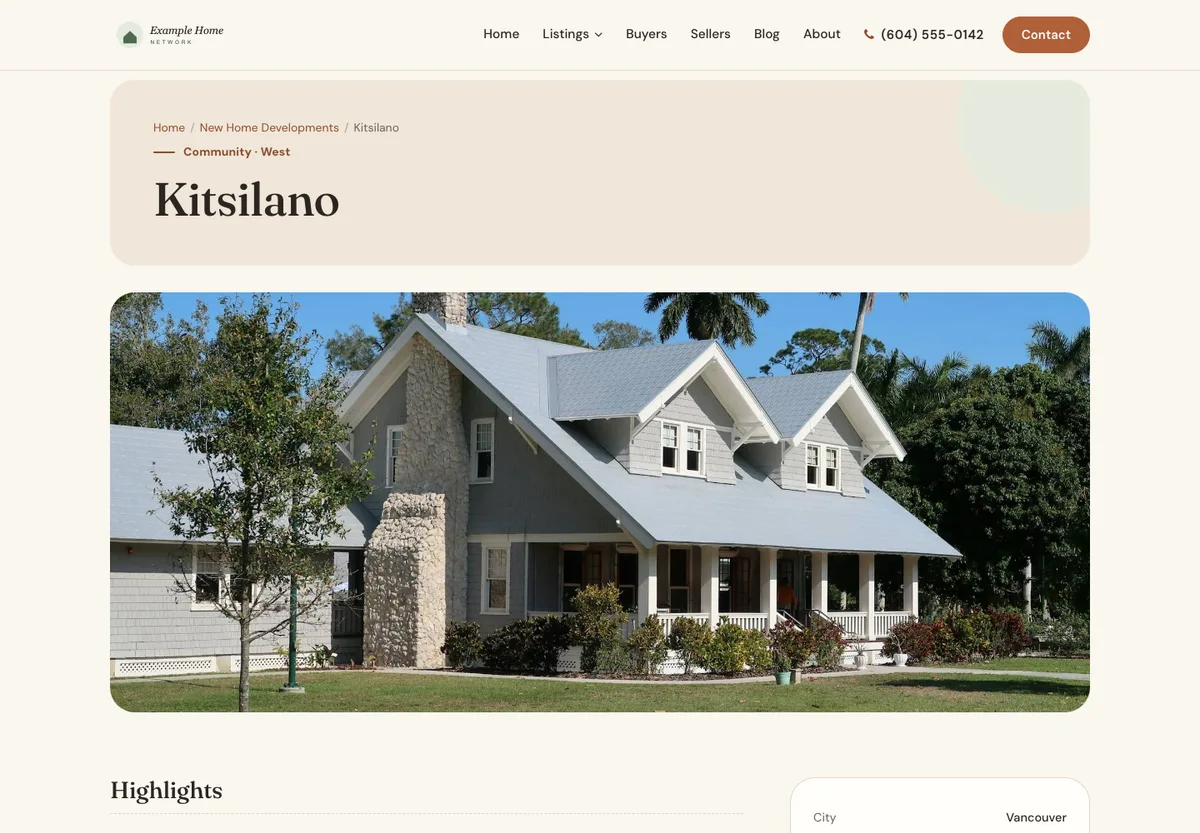
Photo, description, highlights like walk score and schools, a map pin and a YouTube video.
Up to 40 photos, address and map, amenities, year built, floors, units, strata and management details.
Link your own listings to a community or building. On the MLS plan, MLS® listings in the cities you choose show on community pages too.
Each page gets its own web address, Google title and description, and there’s an index page for each.
On Basic or MLS, open Billing in your admin, go to Add-ons, and add Communities, Buildings or both ($5/month or $50/year each).
In your admin, go to Communities or Buildings and click New. Save a draft until it’s ready, then publish.
In a listing’s editor, pick its community or building. It shows on that page automatically.
Each one is $5/month or $50/year, CAD for Canadian websites, USD elsewhere; taxes extra. Cancel any time.
Neighbourhood guides that bring local searches to your website.
$5/month or $50/year + tax · Basic and MLS plans
Condo and building pages with the details buyers ask about.
$5/month or $50/year + tax · Basic and MLS plans
If you cancel an add-on, your community and building pages stay on your website. You just can’t create or edit them until you add it again. Drafts stay hidden until you publish, and every page gets its own web address, Google title and description.
Screenshots from our demo websites. Names and contact details are examples.
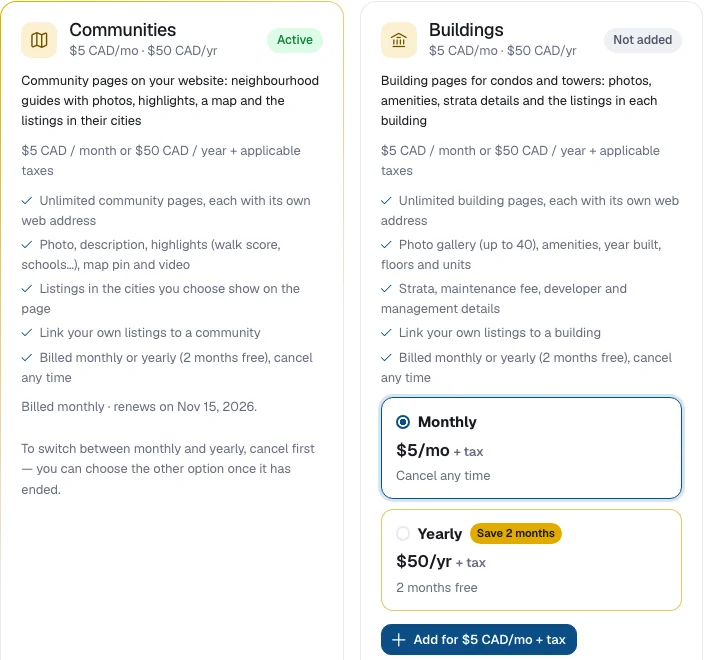
$5/month or $50/year for each add-on: Communities and Buildings are separate. CAD for Canadian websites, USD elsewhere; taxes extra. Yearly billing gives you two months free.
The Basic and MLS plans. They aren’t available on the free plan.
As many as you like. Each community and each building gets its own page and web address.
Your own listings show on a page when you link them to that community or building. On the MLS plan, community pages also show MLS® listings in the cities you choose.
They stay on your website. You just can’t create or edit community or building pages until you add the add-on again.
Yes. Save it as a draft. Drafts are hidden from your website until you publish.
Start free for 30 days — no credit card. It’s included from day one.