
How can a real estate team in Canada get one website with every agent’s listings?
Team pages on every plan, each agent’s own MLS® listings with the Team add-on, who gets which enquiry, and what larger offices should know.
Short answer
Put the team on one website and add each agent to it: on RealtyTerminus every plan, the free trial included, has a team page, a team lead and a profile page for each member. With the Team add-on on the MLS plan, enter each agent’s CREA agent ID and, once it’s verified, their MLS® listings show with yours and on their own profile, and enquiries from their profile go straight to them with you in copy. It covers up to 3 agents with their own CREA agent ID, besides your own.
At a glance
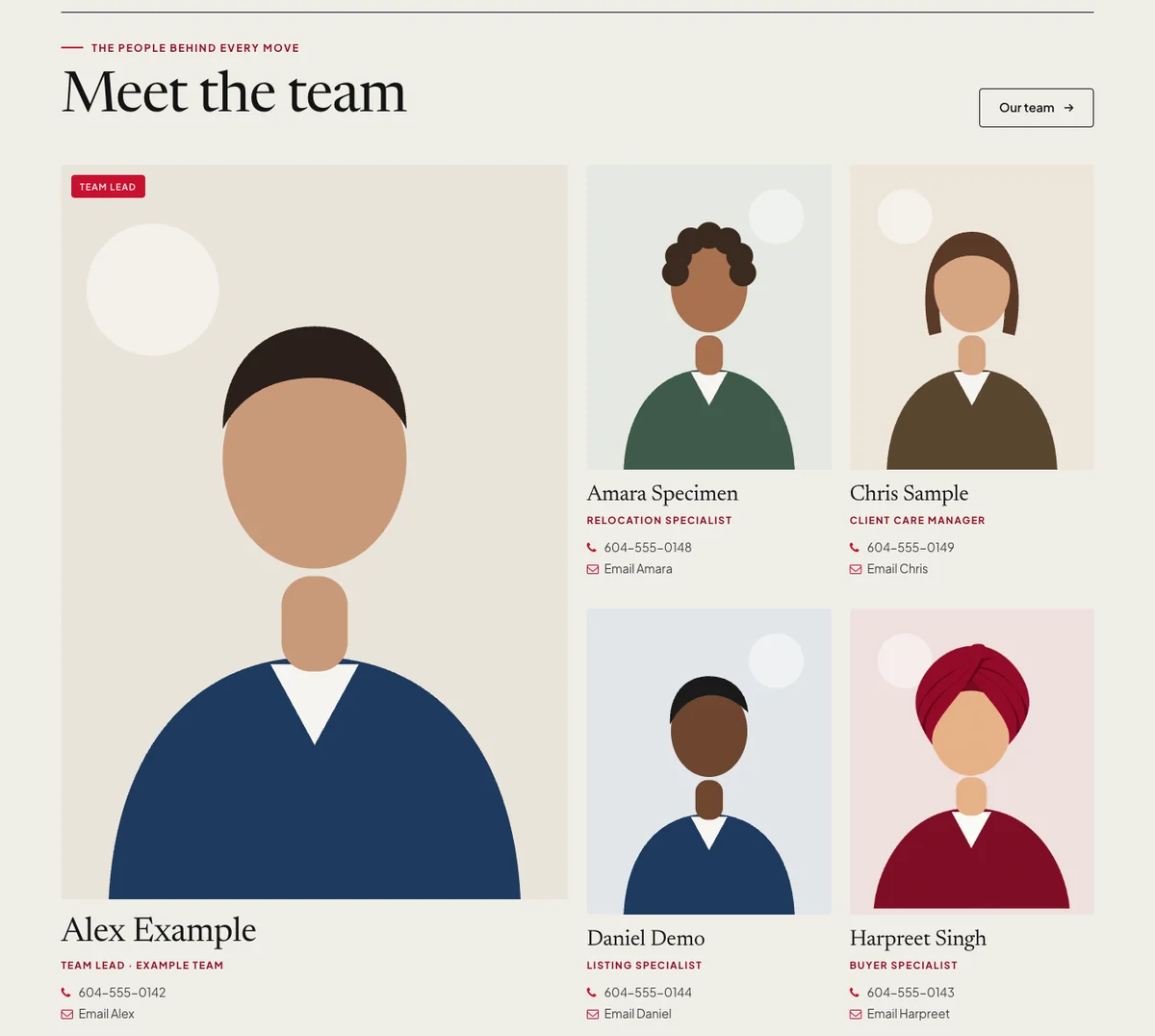
- Team pages, on every plan including the free trial: a photo, title, phone, email and bio for each member, a profile page for each, a team lead with a short team intro, your own order, and hide without deleting. A personal website lists up to 3 team members.
- Home page: on Premium templates, a “Meet the team” section shows the team on your home page.
- Each agent’s MLS® listings: the Team add-on, on the MLS plan. Add the agent’s CREA agent ID on their team profile; we check it against the CREA DDF® feed. If the feed shows the agent’s email or your office it’s verified right away, otherwise we check it by hand within 1 business day.
- Where their listings show: with yours in your website’s listings and on their own profile page, within about 10 minutes of verification, and new ones follow on their own. You can choose to show them on their profile only.
- Enquiries: about a listing, they come to you as before. From an agent’s profile page, they go to that agent with you in copy. You can also copy the listing’s agent on enquiries about their listings.
- When an agent leaves: clear their agent ID or hide them. Their listings stop showing within about 10 minutes, and nothing is deleted.
- Team members don’t get a login: you manage their details from your own admin.
- Coverage: CREA DDF® in every province except Quebec and Manitoba, for agents whose brokerage participates in DDF®.
- Prices: https://www.realtyterminus.com/pricing. Our do-it-yourself plans have no MLS® setup fee and no MLS® integration fee today, if your office participates in the CREA DDF® feed. If CREA ever starts charging for the DDF® feed, we would pass that charge on, with notice in advance and the option to opt out.
Set up the team on one website
- Add each member. In your admin, go to Content, then Team, and add a photo, title, phone, email and short bio. Each member gets a profile page. How to add a team member.
- Pick the team lead. The lead and your team intro show at the top of the team page. How to set a team lead.
- Put them in order. Drag members into the order you want; your website follows it everywhere. On Premium templates the team also shows in a “Meet the team” section on your home page.
Show every agent’s MLS® listings
With the Team add-on on the MLS plan, open an agent’s team profile, enter their CREA agent ID and save. We check it against the CREA DDF® feed: if the feed shows the agent’s email or your office it’s verified right away, otherwise we check it by hand within 1 business day. Their active MLS® listings then appear with yours and on their own profile within about 10 minutes, and new ones follow on their own. Step by step.
Prefer each agent’s listings on their own profile only? Switch off “Show the team’s MLS® listings with your own” on the Team page.
Who gets which enquiry
- About a listing: to you, as before. You can also copy the listing’s agent.
- From an agent’s profile page: to that agent, with you in copy.
Every enquiry is also in your Leads inbox.
For a brokerage
A brokerage website has more to do: an agent roster, office listings and a recruiting page. The brokerage website guide covers what a small or mid-size Canadian brokerage site needs. For more than 3 agents with their own listings, contact us and we’ll tell you what fits.
See pricing for the plans and add-ons. Our do-it-yourself plans have no MLS® setup fee and no MLS® integration fee today, if your office participates in the CREA DDF® feed. If CREA ever starts charging for the DDF® feed, we would pass that charge on, with notice in advance and the option to opt out.
Questions
Which plans include team pages?
Every plan, including the free trial. Showing each agent’s own MLS® listings is the Team add-on, on the MLS plan.
How many agents does the Team add-on cover?
Up to 3 team members with their own CREA agent ID, as well as your own ID on the MLS plan.
Who receives the enquiries?
Enquiries about a listing come to you, as before. Enquiries sent from an agent’s profile page go to that agent, with you in copy. You can also switch on a copy to the listing’s agent for enquiries about their listings.
Can an agent’s listings show on their profile only?
Yes. On the Team page, switch off “Show the team’s MLS® listings with your own”. Their listings then show on their profile page only.
What happens if we cancel the add-on?
Your team pages and profiles stay. The team members’ MLS® listings stop showing, and everything you set up is kept in case you add it again.
We’re a larger office. Does it fit a brokerage?
Our brokerage website guide covers what a small or mid-size brokerage site needs: an agent roster, office listings and a recruiting page. For more than 3 agents with their own listings, contact us and we’ll tell you what fits.
Are there setup or MLS® fees?
Our do-it-yourself plans have no MLS® setup fee and no MLS® integration fee today, if your office participates in the CREA DDF® feed. If CREA ever starts charging for the DDF® feed, we would pass that charge on, with notice in advance and the option to opt out.