
How to find your CREA agent ID (your MLS® agent ID)
Your CREA agent ID is the number in the web address of your REALTOR.ca profile, right after /agent/. Search your name on REALTOR.ca, open your profile and copy that number, or ask your board or brokerage.
Website providers that use CREA DDF® match your MLS® listings to you by your CREA agent ID, sometimes called your MLS® agent ID or REALTOR.ca ID. It’s a number only, and it’s different from your board login and your licence number.
Steps
Find your profile on REALTOR.ca
Go to REALTOR.ca, choose Find a REALTOR® and search your name. Open your own profile.
Copy the number from the web address
Look at the address bar. It reads like realtor.ca/agent/1234567/your-name. The number after /agent/ is your CREA agent ID. Copy only the digits.
Not listed, or not sure it’s you?
Ask your board or your brokerage’s office administrator for your CREA agent ID. New members can take a little while to appear on REALTOR.ca.
Use it on your website
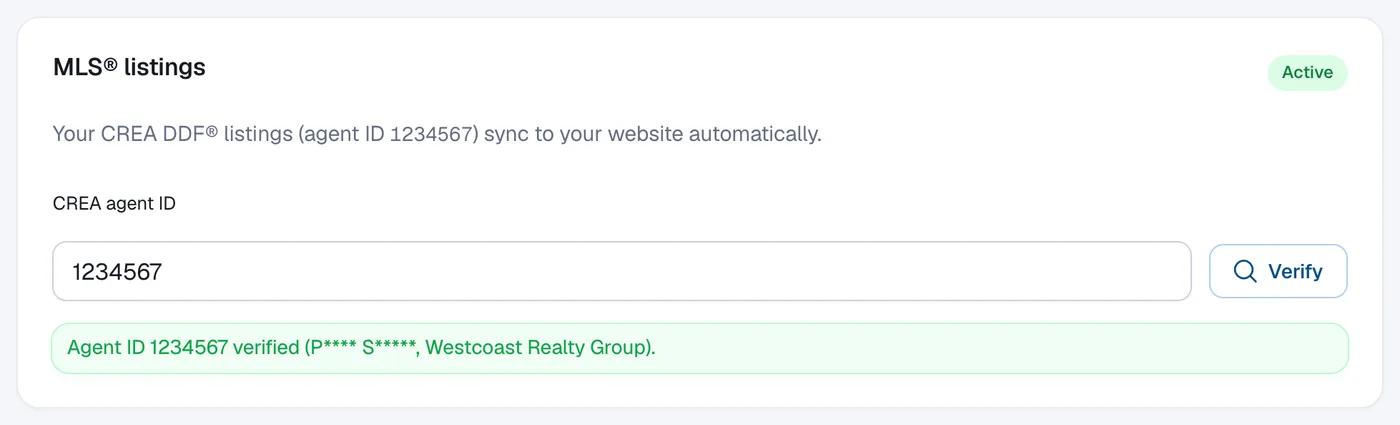
On the MLS plan, go to Website → Branding, scroll to MLS® listings, enter the number and click Verify. See How to turn on MLS® listings.
Questions
Is my CREA agent ID the same as my licence number?
No. Your licence number comes from your provincial regulator (such as BCFSA, RECO or RECA). Your CREA agent ID is CREA’s number for you, the one in your REALTOR.ca profile address.
Is it the same as my board or MLS® login?
No. Your board login (user name) signs you in to your MLS® system. The CREA agent ID is a number used to match listings to you.
Does my agent ID change if I move brokerage?
Usually not: it belongs to you, not to your office. Your brokerage still has to participate in CREA DDF® for your listings to reach your website.
Why does my ID say “we couldn’t confirm it”?
Check you copied only the digits from your REALTOR.ca profile address. If it still fails, send a request from Help & support with the topic Listings & MLS®.