
How to turn on MLS® listings with your CREA agent ID
On the MLS plan, go to Website, then Branding, enter your CREA agent ID under MLS® listings and click Verify; your MLS® listings start once the ID is verified.
MLS® listings come from CREA’s Data Distribution Facility (DDF®). They are available to REALTORS® in Canada whose brokerage participates in the DDF® feed — every province except Quebec and Manitoba. We match your CREA agent ID to the feed so your listings arrive on their own.
Steps
Be on the MLS plan
Choose the MLS plan when you sign up, or upgrade under Account → Billing.
Open Branding
Go to Website → Branding and scroll to MLS® listings. The dashboard item Add your CREA agent ID takes you there too.
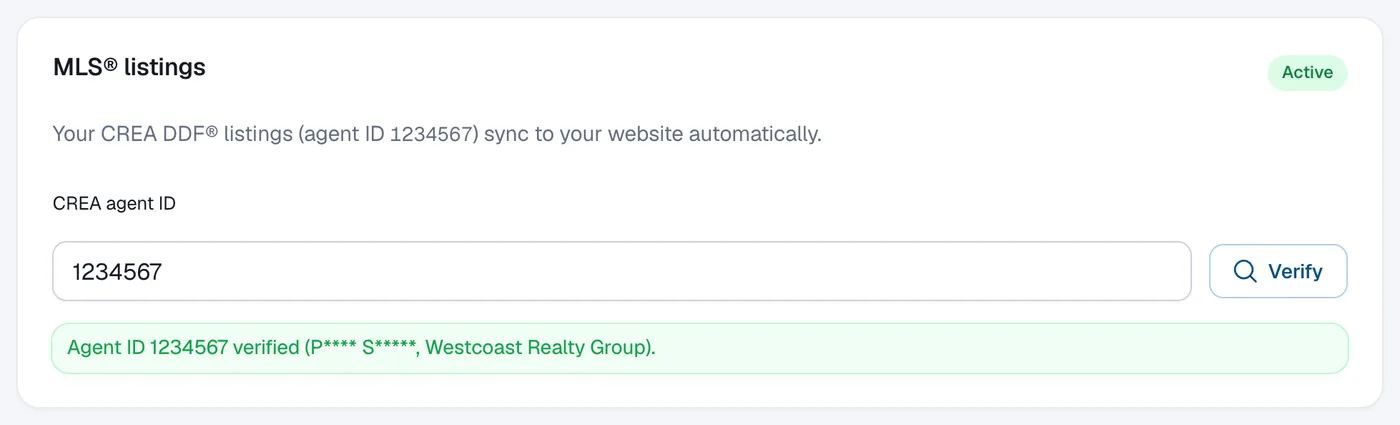
Enter your CREA agent ID and click Verify
Type your CREA agent ID (the number on your REALTOR.ca profile) and click Verify.
Wait for the result
If the ID is found and matches you, it’s verified straight away and your listings start syncing. If we need to check it, you’ll see that we’ll confirm it within 5 business days; MLS® listings start once it’s approved.
Questions
My brokerage doesn’t participate in CREA DDF®. What can I do?
You can switch to the Basic plan and add your listings by hand. Manual listings work on every plan.
We couldn’t confirm my agent ID. Why?
Check the number on your REALTOR.ca profile and try again. If it still doesn’t work, send a request from Help & support with the topic Listings & MLS®.
Do MLS® listings count toward my listing limit?
No. MLS® feed listings never count.