
How to send a support request
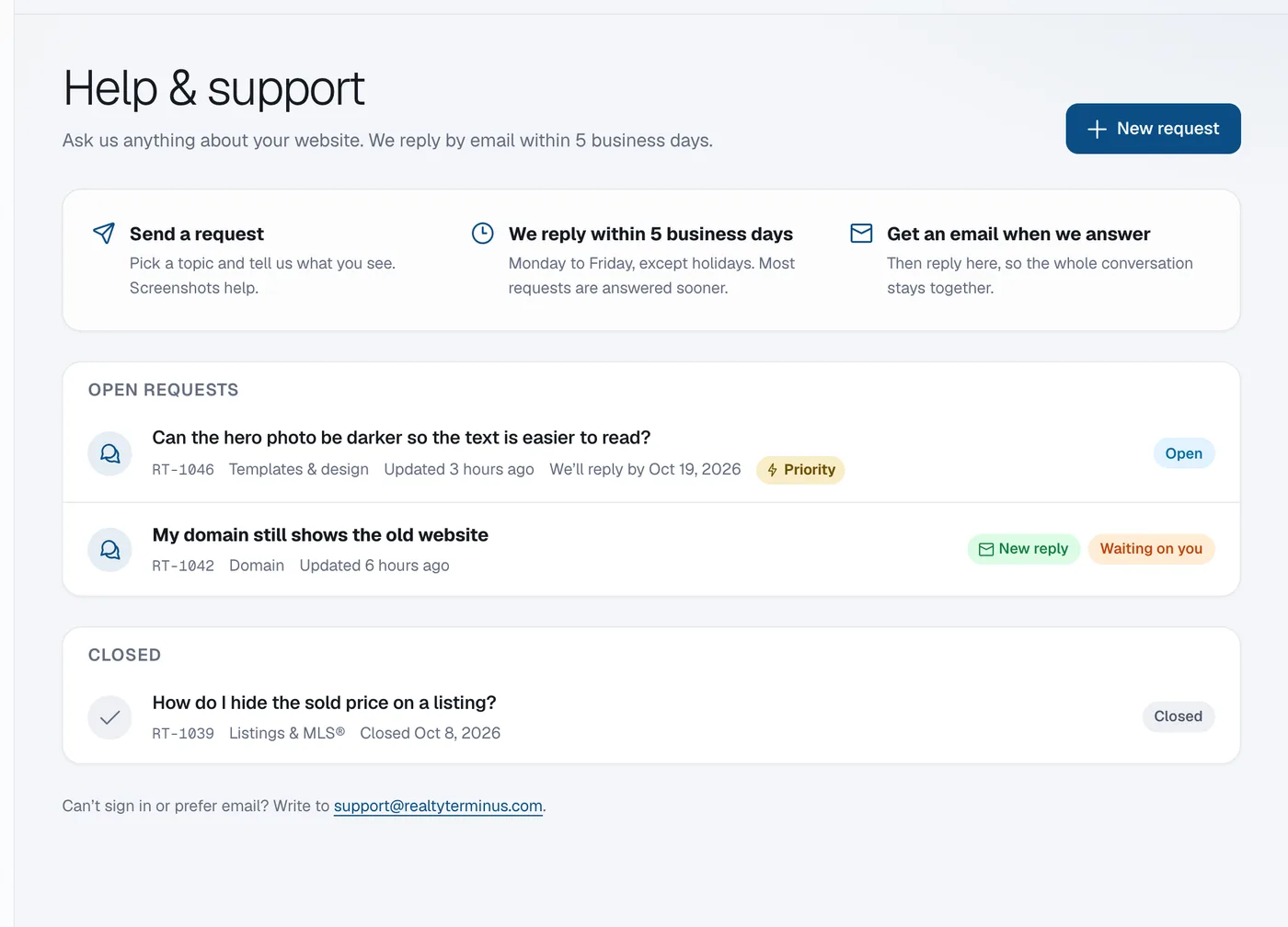
In your admin go to Account, then Help & support, click New request, pick a topic, write a subject and message, attach screenshots if they help, and click Send request; we reply by email within 5 business days.
Help from real people is included on every plan. We reply within 5 business days (Monday to Friday, except holidays), and most requests are answered sooner. No phone or live chat.
Steps
Open Help & support
Open Account → Help & support, or click the question-mark icon at the top of the admin. Click New request.
Describe the problem
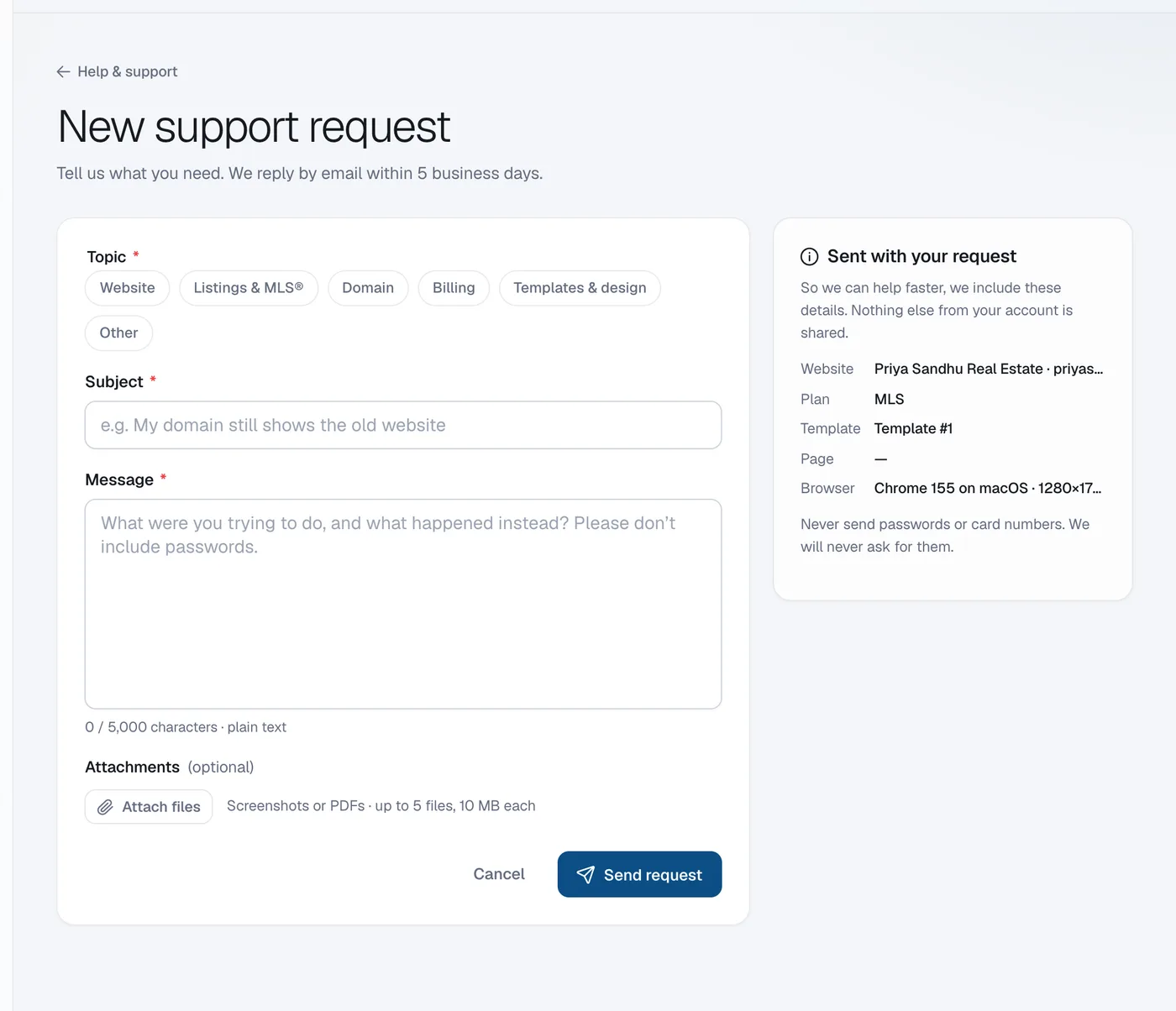
Pick a topic (Website, Listings & MLS®, Domain, Billing, Templates & design or Other), write a Subject and a Message: what you were trying to do, and what happened instead.
Attach screenshots
Click Attach files to add screenshots or a PDF (up to 5 files, 10 MB each).
Send
Click Send request. We include your website, plan and the page you were on so you don’t have to explain them.
Read and answer our reply
You get an email when we answer. Reply in the request in Help & support so the whole conversation stays together. Click Close request when you’re done, or Reopen a closed one.
Questions
Should I send my password?
Never send passwords or card numbers. We will never ask for them.
Can I get faster replies?
Yes, with the Priority Support add-on: a reply within 1 business day. See What is Priority Support?