
How to cancel your plan
Go to Account → Billing and click Cancel plan; your website stays online until the end of the period you paid for, and you can choose Keep my plan any time before that date.
Plans have no contract, so you can cancel whenever you like. You won’t be charged again, and your website stays online until the end of the period you’ve already paid for.
Steps
Open Billing
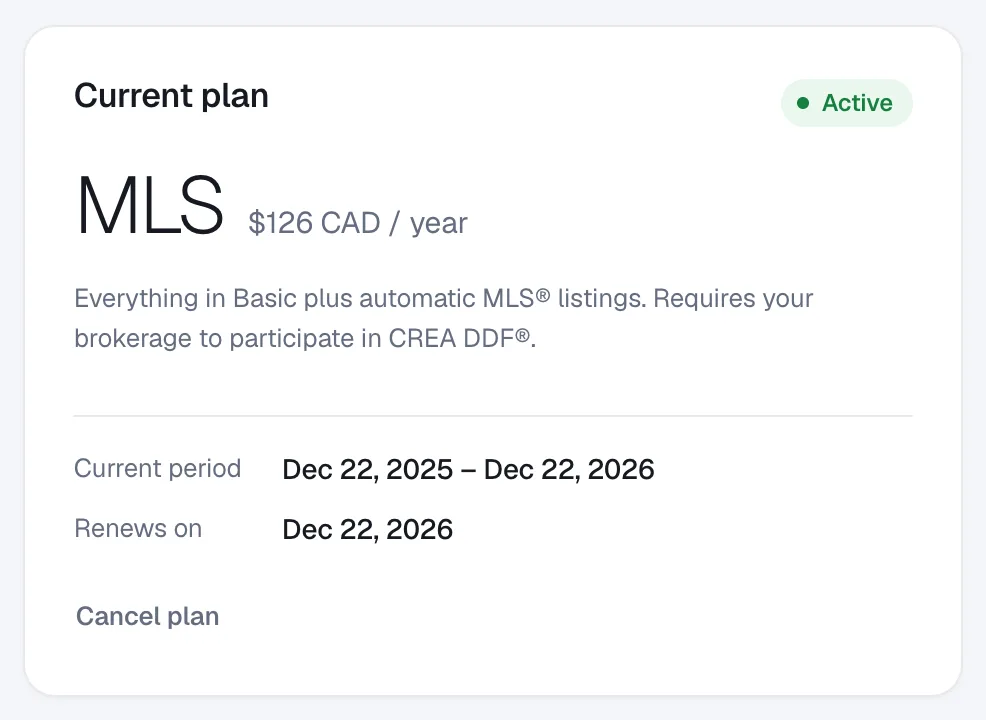
Go to Account → Billing. Your Current plan card shows when your plan Renews on. Click Cancel plan under the dates.
Confirm
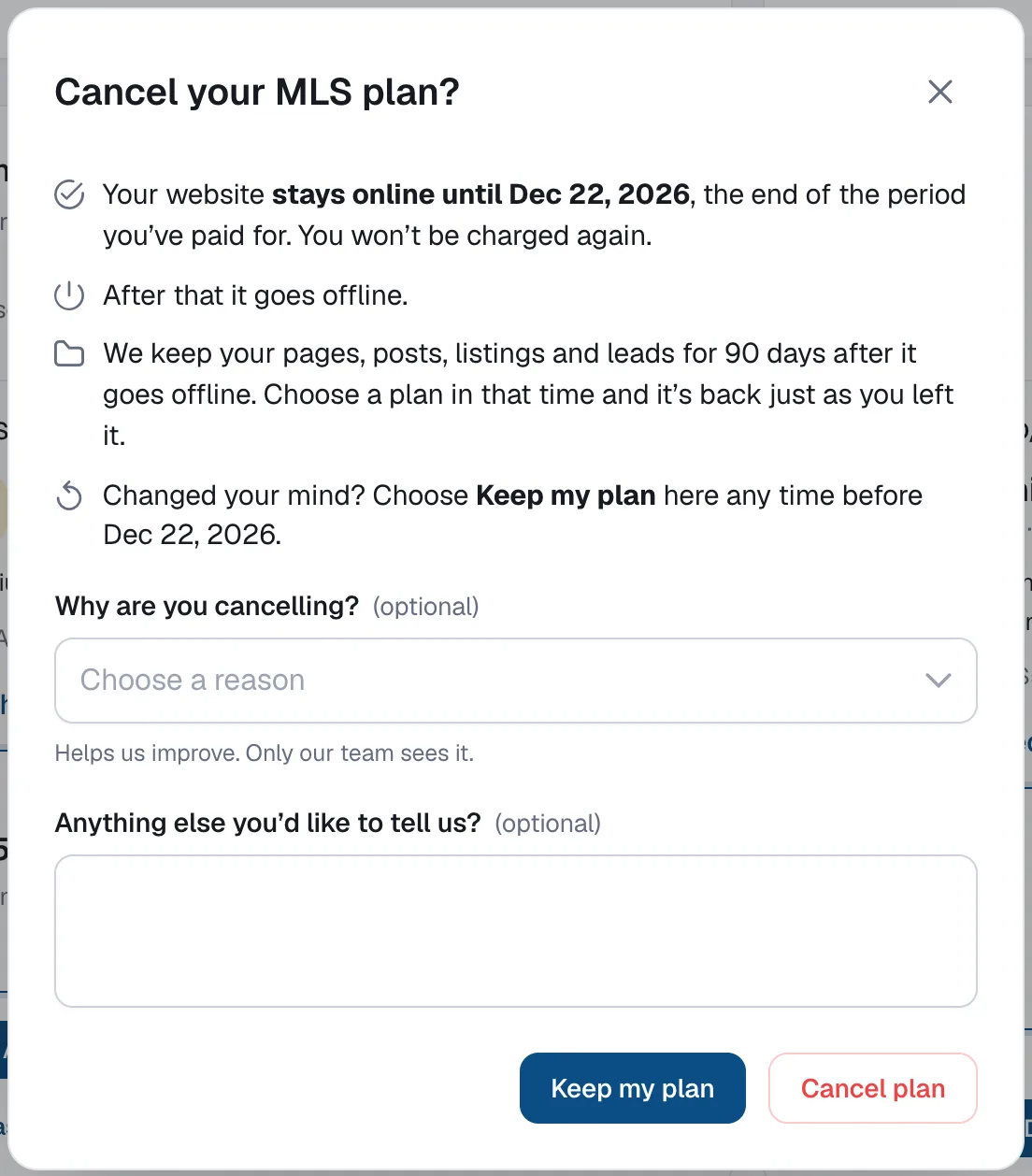
Read what happens, optionally tell us why you’re cancelling, then click Cancel plan. To back out, click Keep my plan.
Check the end date
Billing now shows Ends on with the date, and we send you a confirmation email. Changed your mind? Click Keep my plan on the Billing page any time before that date.
Before you cancel
Download a copy of your content under Account → Settings → Export your data. See How to export your website data. Refunds are covered by our Terms & Conditions.
Free plans don’t need cancelling: they end when the free period ends.
Questions
What happens to my add-ons?
They keep working while your website is online and end together with your plan.
What happens when the plan ends?
Your website goes offline. Your pages, posts, listings and leads are kept for 90 days; choose a plan in that time and your website comes back just as you left it.
Do I get a refund?
Fees already paid aren’t refunded and there are no credits for unused time. See our Terms & Conditions.