
How to add an add-on (or several at once)
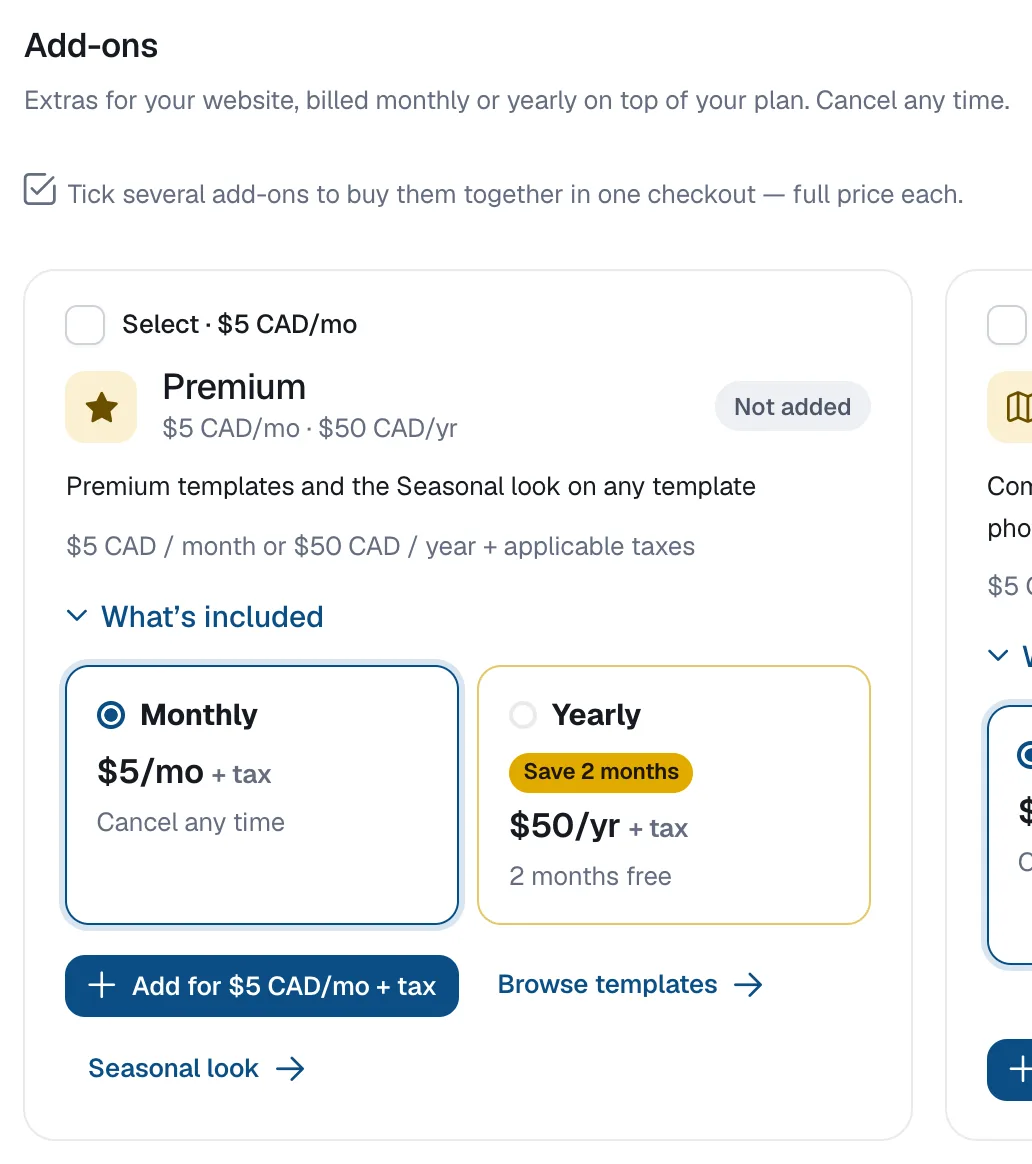
Go to Account, then Billing, scroll to Add-ons, pick Monthly or Yearly on an add-on and click Add; tick several add-ons to buy them together in one checkout.
Add-ons are optional extras on top of a paid plan: Premium, Communities, Buildings, More Listings, More Blog Posts, More Pages, Advanced SEO, Extra Domains and Priority Support. Each is $5 a month or $50 a year (2 months free), plus applicable taxes.
Steps
Open Add-ons
Go to Account → Billing and scroll to Add-ons.
Add one
On the add-on’s card choose Monthly or Yearly and click Add for … + tax. Pay on the secure checkout page.
Or buy several together
Tick Select on several add-ons, choose monthly or yearly for the selection, and click Add selected (…). If you already pay for add-ons, the new ones join that billing on the card you already use.
Questions
Can I add add-ons on the Free plan?
No. Add-ons are available on paid plans. Upgrade first, then come back to Add-ons.
Can I switch an add-on from monthly to yearly?
Cancel it first; you can choose the other option once it has ended.