
How to get Premium templates and the Seasonal look
On a paid plan, add the Premium add-on ($5 a month or $50 a year) under Billing, or click Unlock on a premium template; then use any premium template and turn on the Seasonal look in Branding.
Premium unlocks every premium template, including new ones as they launch, and the Seasonal look on any template: a seasonal tint, home-page photo and headline that follow spring, summer, fall and winter.
Steps
Be on a paid plan
Premium comes with a paid plan. On the Free plan, upgrade first under Account → Billing.
Unlock a premium template
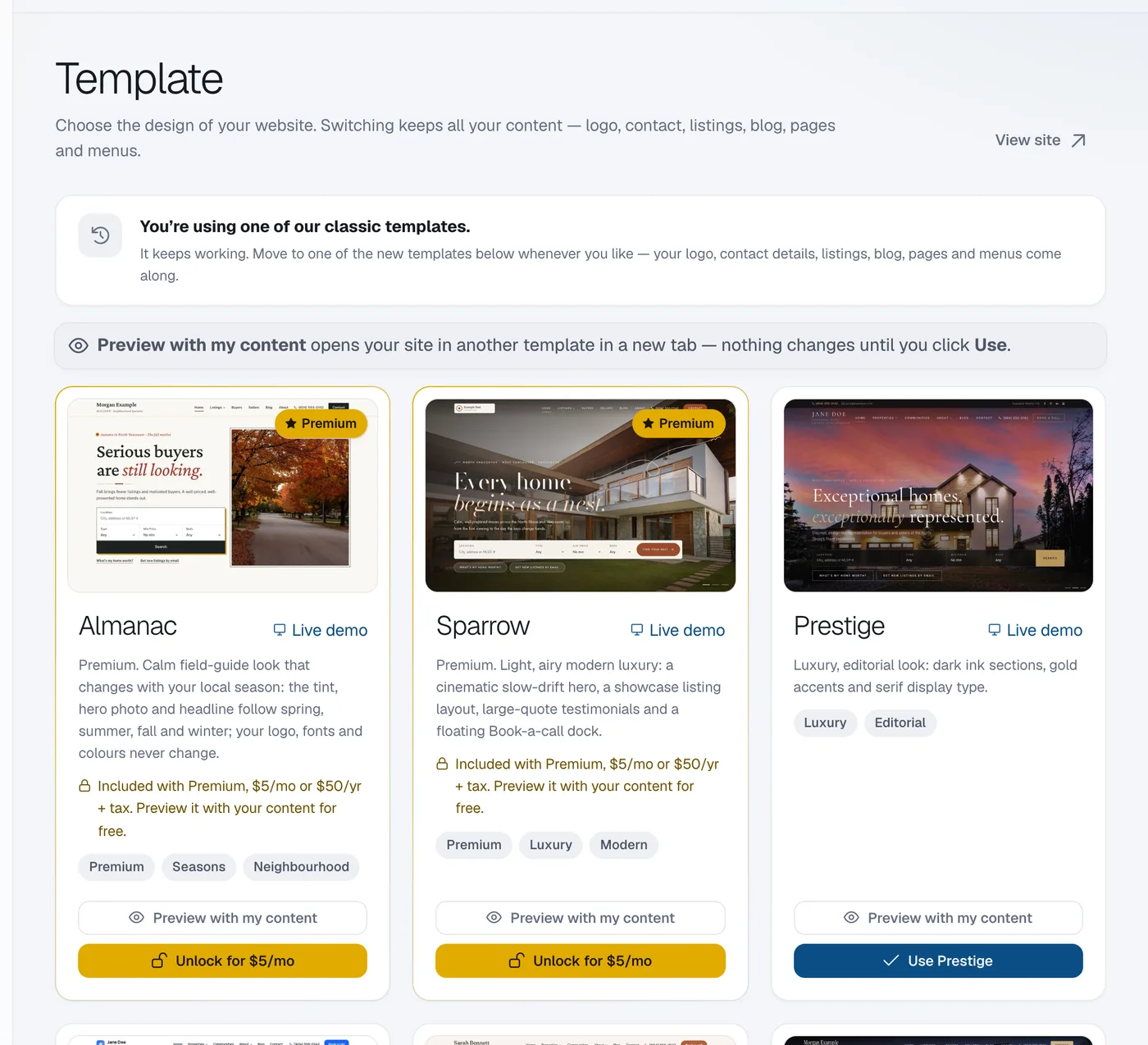
Go to Website → Template and click Unlock for … (the button shows the price) under a premium template, then Continue to checkout. Or add Premium under Account → Billing → Add-ons.
Use the template
After paying you come back to Template. Click Use on the premium template.
Turn on the Seasonal look (optional)
Go to Website → Branding, find Seasonal look, choose how it follows the seasons and click Turn on seasonal look. You can add your own photo for each season.
Questions
How much is Premium?
$5 a month or $50 a year (2 months free), plus applicable taxes: CAD for Canadian websites, USD elsewhere. Cancel any time.