
How to mark a show home or move-in ready home
Open the listing, open New homes / builder, switch on Show home or Move-in ready, add the hours in Show home hours & notes and save. The home gets a badge and its own page.
Builders can flag a home as a show home (a model home visitors can tour) or as move-in ready. Flagged homes get a badge on their card, a “Show home” box with your opening hours on the listing page, and their own pages — Show homes and Move-in ready homes — each with a sign-up form for updates.
Steps
Open the listing
Sign in at my.realtyterminus.net, click Listings and open the home (or add a new one).
Switch on Show home or Move-in ready
In the listing editor, open New homes / builder and switch on Show home, Move-in ready, or both.
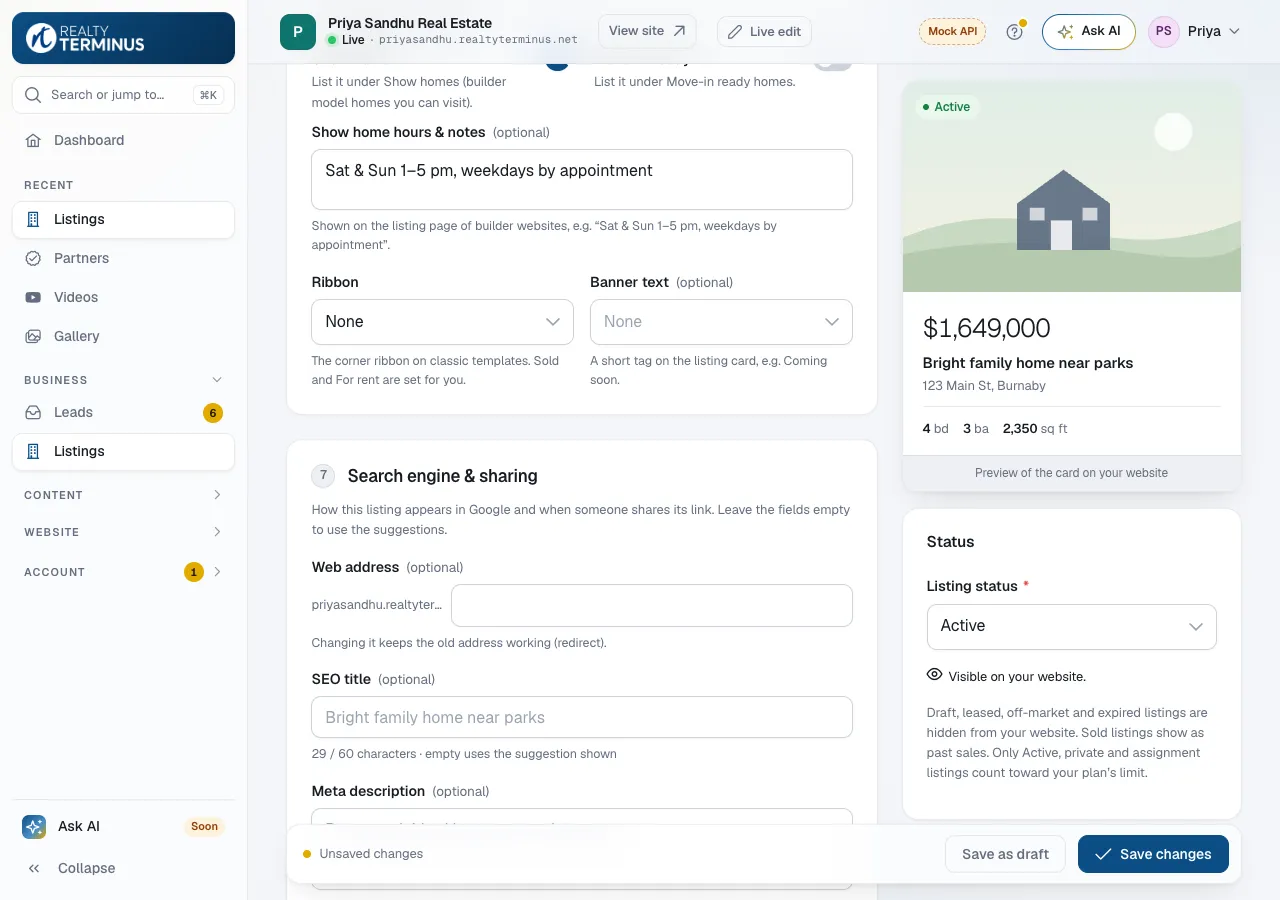
Add the opening hours
For a show home, type the hours in Show home hours & notes, for example “Sat & Sun 1–5 pm, weekdays by appointment” (up to 250 characters).
Save
Click Save changes. The badge and the Show home box appear on your website.
Add the pages to your menu
In Website → Navigation, click Add item, choose Listings and pick Show homes or Move-in ready. Click Add, then Save. New builder websites already have a Show Homes link in their menu.
Good to know
- A listing’s Banner text (for example “Lake lot”) wins over the Show home badge on its card.
- Show homes and move-in ready homes still need a visible status (Active) to appear on your website.
Questions
Where do I see who signed up for show-home updates?
In Leads: click Show-home sign-ups or Move-in ready sign-ups to see only those sign-ups. You can export them with CSV.
Do realtor websites show these badges?
The badges, the Show home box and the sign-up forms are shown on Builder / Developer websites.