
Should I choose REALTOR® or Builder / Developer when I sign up?
Choose REALTOR® or team if you are a licensed agent or team; choose Builder / Developer if you build homes or sell pre-sale projects. The choice sets your plans, checklist and wording.
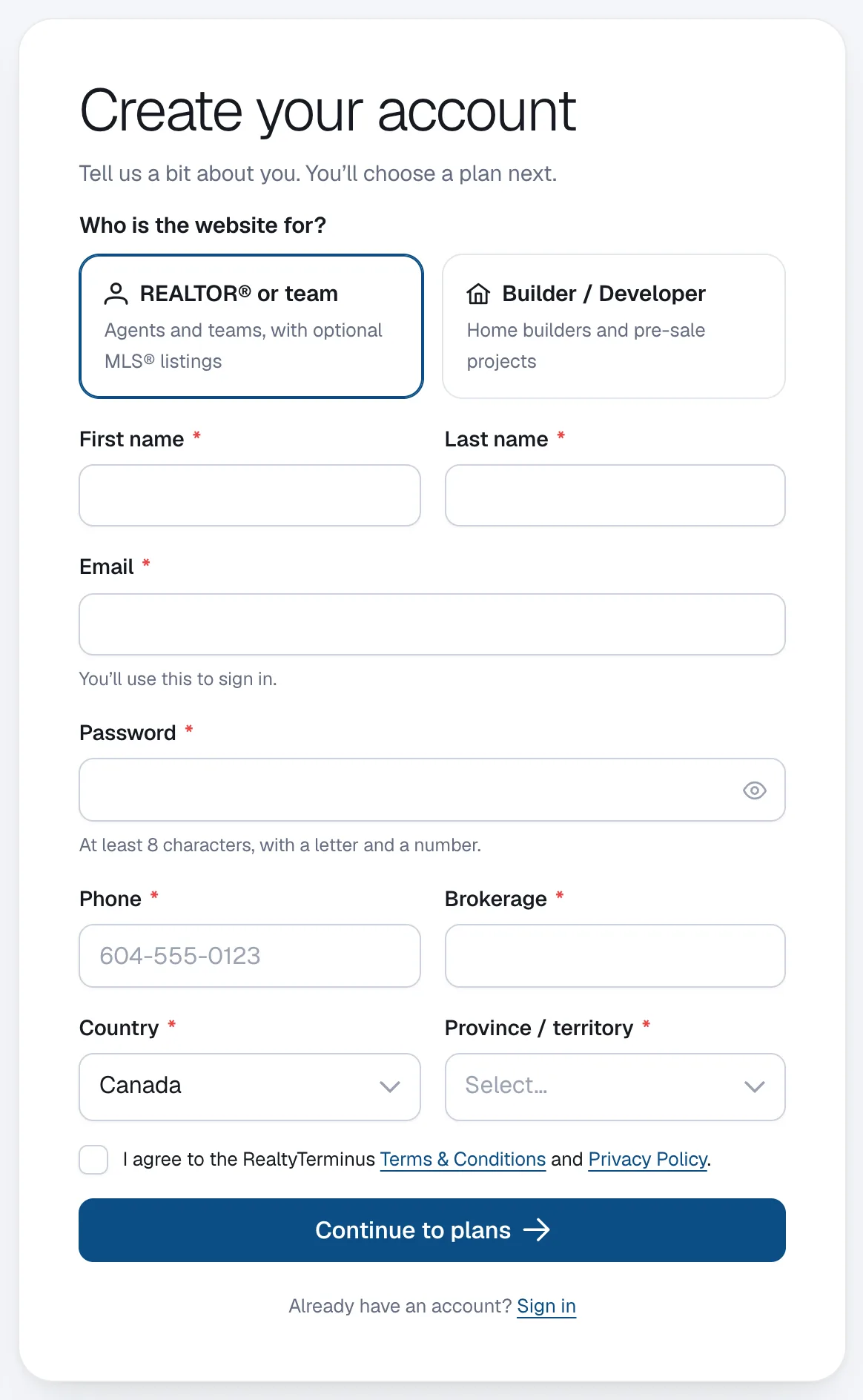
The first question on the sign-up form is Who is the website for? Your answer decides which plans you see and what the setup asks for.
Steps
Pick REALTOR® or team
Choose REALTOR® or team if you are an agent or a team of agents. You enter your Brokerage (required in Canada) and can choose the Free, Basic or MLS plan. Only this account type can get MLS® listings.
Or pick Builder / Developer
Choose Builder / Developer if you are a home builder or sell pre-sale projects. You enter a Company name, which becomes the name of your website, and choose the Free, Basic or Builder plan.
Continue to plans
Finish the form and click Continue to plans. The plans shown match your account type.
Questions
Can a builder account show MLS® listings?
No. MLS® listings come from the CREA DDF® feed, which is for REALTORS® whose brokerage participates in it. Builder accounts add their homes, communities and show homes as their own listings.
What is different on a builder website?
The setup asks for your company name and logo instead of a brokerage and headshot, and the dashboard checklist asks for your company logo. The Builder plan has higher listing and page limits for communities, show homes and projects.
I chose the wrong type. Can I change it?
Send a request from Help & support in your admin and we will help.