
How to remove the sample content from your website
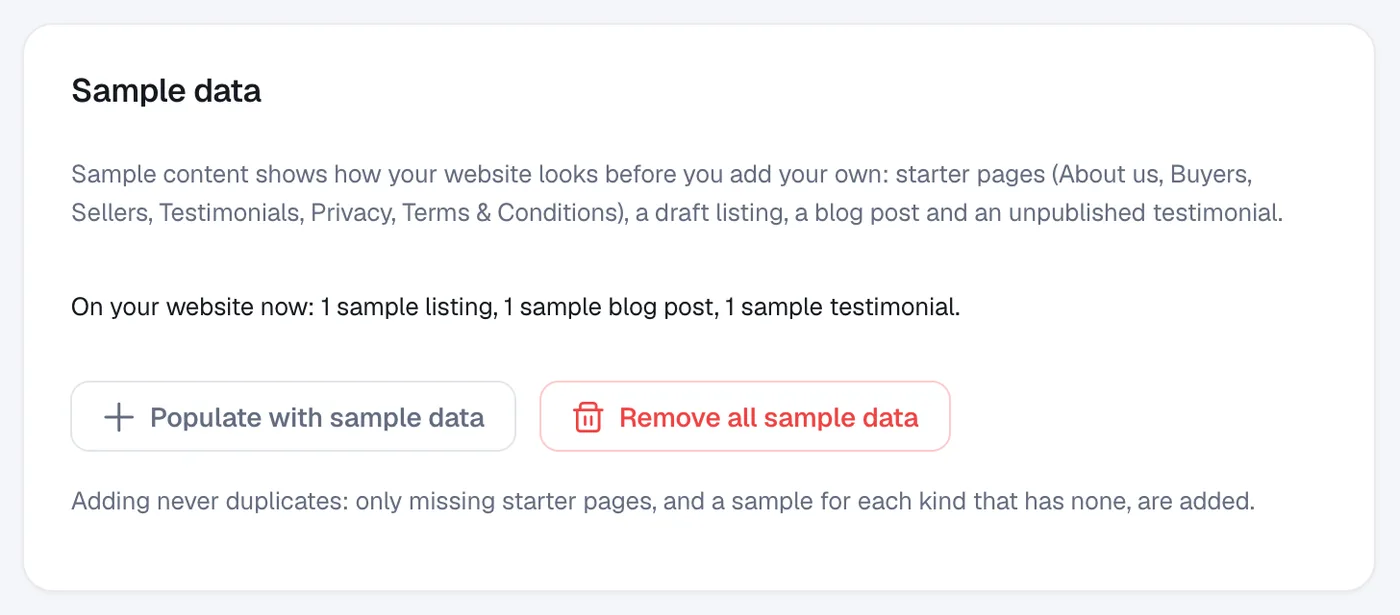
Go to Account, then Settings, and click Remove all sample data to delete the sample listing, blog post and testimonial and the starter pages you haven’t edited.
New websites come with sample content so you can see how everything looks: starter pages (About us, Buyers, Sellers, Testimonials, Privacy, Terms & Conditions), a draft listing, a blog post and an unpublished testimonial. Samples have a Sample badge in the admin.
Steps
Open Settings
In the menu, open Account and click Settings.
Check what’s left
Under Sample data you see what is on your website now, for example “1 listing, 1 blog post”.
Remove it
Click Remove all sample data, check the list in the dialog, then click Remove sample data.
Questions
Will I lose pages I edited?
No. Samples you have edited are your own content now and are kept. The Privacy and Terms & Conditions pages are always kept.
Can I get the samples back?
Yes. Click Populate with sample data. It never duplicates: only missing starter pages, and a sample for each kind that has none, are added.
Is the sample listing shown to visitors?
No. The sample listing is a draft, so it isn’t shown on your website. Edit it into a real listing or delete it.