
How to sign up and create your website
Create a free RealtyTerminus account, choose a plan, then pick a template, add your branding and contact details, and your website is live in minutes.
Signing up takes a few minutes. You create your account, choose a plan, and a short four-step setup builds your website. You can change everything later from your dashboard.
Steps
Open the sign-up page
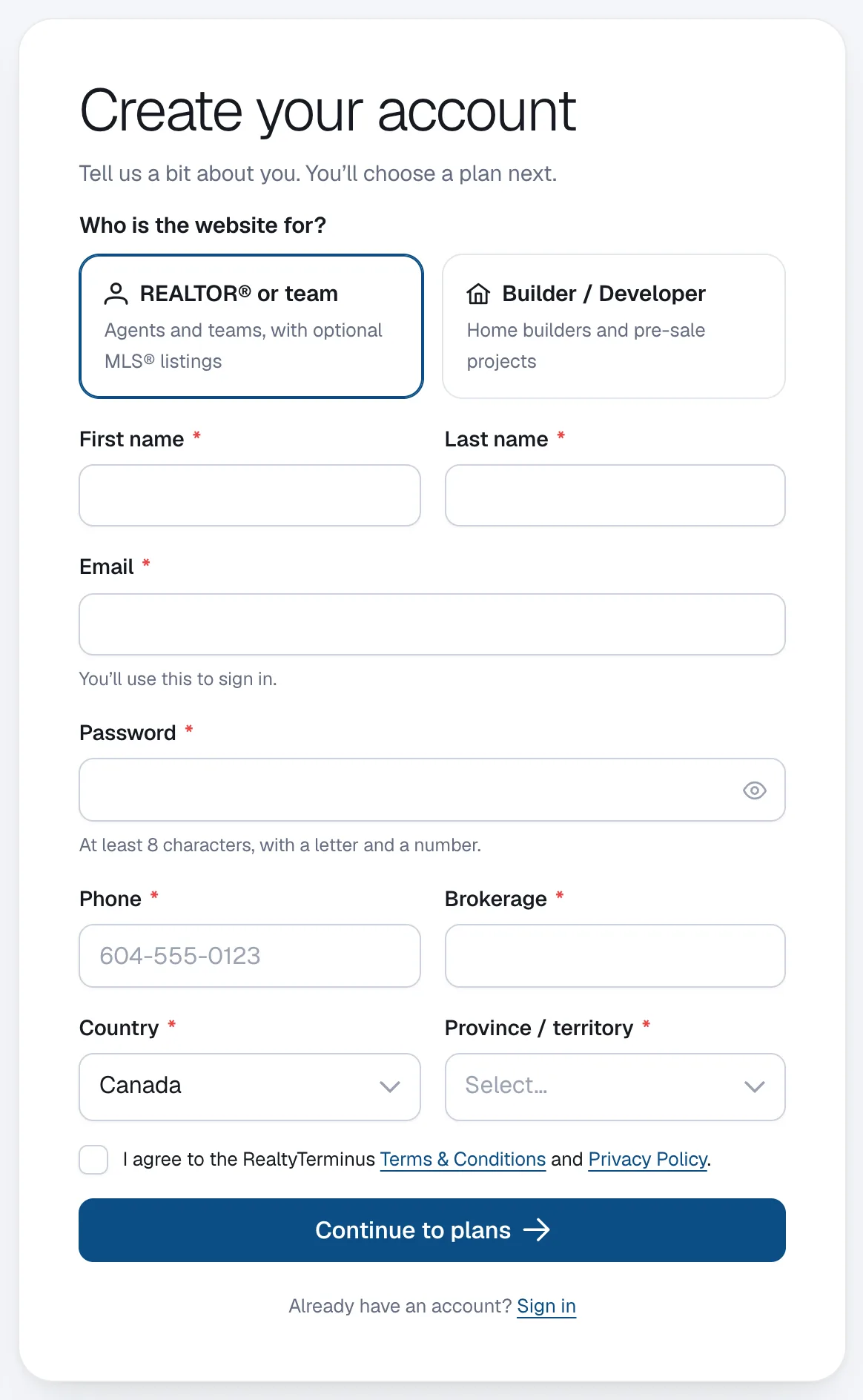
Go to my.realtyterminus.net/signup. Under Who is the website for? choose REALTOR® or team or Builder / Developer.
Fill in your details
Enter your First name, Last name, Email, Password (at least 8 characters, with a letter and a number), Phone, country and province or state. REALTORS® in Canada also enter their Brokerage; builders enter a Company name. Tick the box to agree to the Terms & Conditions and Privacy Policy, then click Continue to plans.
Choose a plan
On Choose your plan, click Start free — no card to try everything for 30 days, or Continue with a paid plan to pay securely with Stripe. Not sure? Click Compare plans — what’s included?
Confirm your email (Free plan)
On the Free plan we send you an email. Click the link in it to confirm your address; your website is created straight after. Didn’t get it? Click Resend email.
Set up your website
Click Set up my website and go through the four steps: Template (pick a look), Branding (logo, colours, fonts), Contact (how clients reach you) and Go live. Click Publish my website on the Contact step.
Visit your new website
On Your website is live! click your web address to see it, or click Go to dashboard to keep going. Your website starts on a free address like
yourname.realtyterminus.net.
Good to know
- Your website comes with sample content (pages, a listing, a blog post and a testimonial) so you can see how it looks. Edit or remove it any time: see How to remove the sample content.
- You can switch templates later and your content comes along.
- MLS® listings are only on the MLS plan, for Canadian REALTORS® whose brokerage participates in the CREA DDF® feed (every province except Quebec and Manitoba). Everyone can add listings by hand.
Questions
Do I need a credit card to start?
No. The Free plan runs for 30 days without a card. Upgrade any time from Billing to keep your website online.
Can RealtyTerminus build the website for me?
The plans are do-it-yourself. A done-for-you website is a separate service, quoted per project: tell us what you need on the contact page.