
Which links can I add to my website menu?
Menu items can link to a page, your blog, your listings, MLS® search, contact, home valuation, testimonials, open houses, the mortgage calculator, a visitor account, community or building pages, or any web address.
When you click Add item in Website → Navigation, the Link to grid shows every kind of link you can add.
Steps
Open the Link to grid
Go to Website → Navigation and click Add item (or Add link in a footer column).
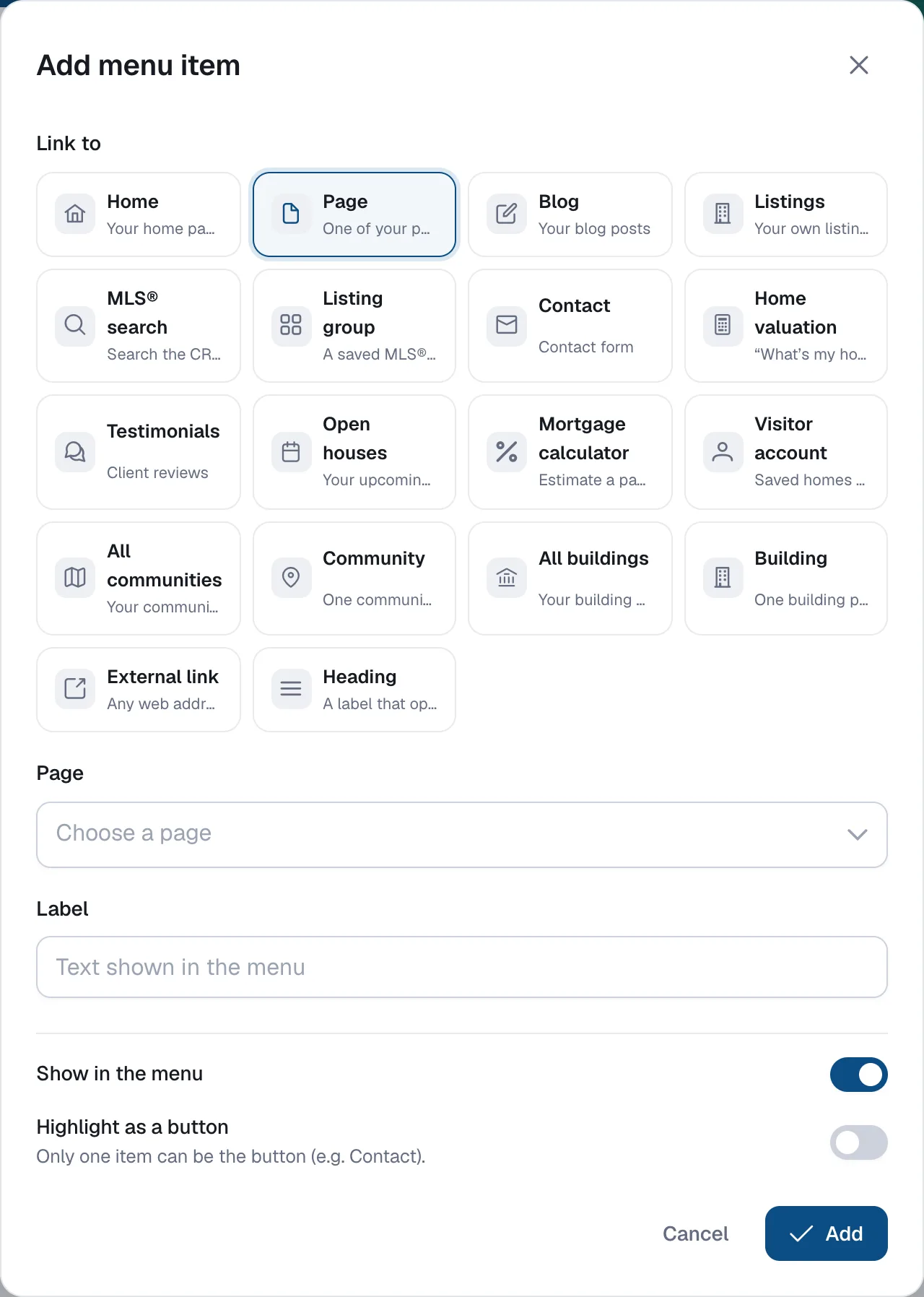
Pick a link type
Choose one of the types listed below. Some ask a follow-up question, such as which page or which listings view.
Check the label and add
The Label is filled in for you; change it if you like. Click Add, then Save.
Link types
| Link to | What it shows |
|---|---|
| Home | Your home page |
| Page | One of your pages |
| Blog | Your blog posts |
| Listings | Your own listings: Active, Sold or Map |
| MLS® search | Search MLS® listings: Map search or List (MLS plan) |
| Listing group | A saved MLS® search (MLS plan) |
| Contact | Your contact form |
| Home valuation | A “What’s my home worth?” form |
| Testimonials | Your client reviews |
| Open houses | Your listings with an open house today or later |
| Mortgage calculator | A calculator that estimates a payment |
| Visitor account | Saved homes or Sign in for your website visitors (buyers who save homes) — not your admin login |
| All communities / Community | Your community pages (Communities add-on) |
| All buildings / Building | Your building pages (Buildings add-on) |
| External link | Any web address, mailto: email or tel: phone link, optionally in a new tab |
| Heading | A label that opens a sub-menu (header menu only) |