
How to add links to your website footer
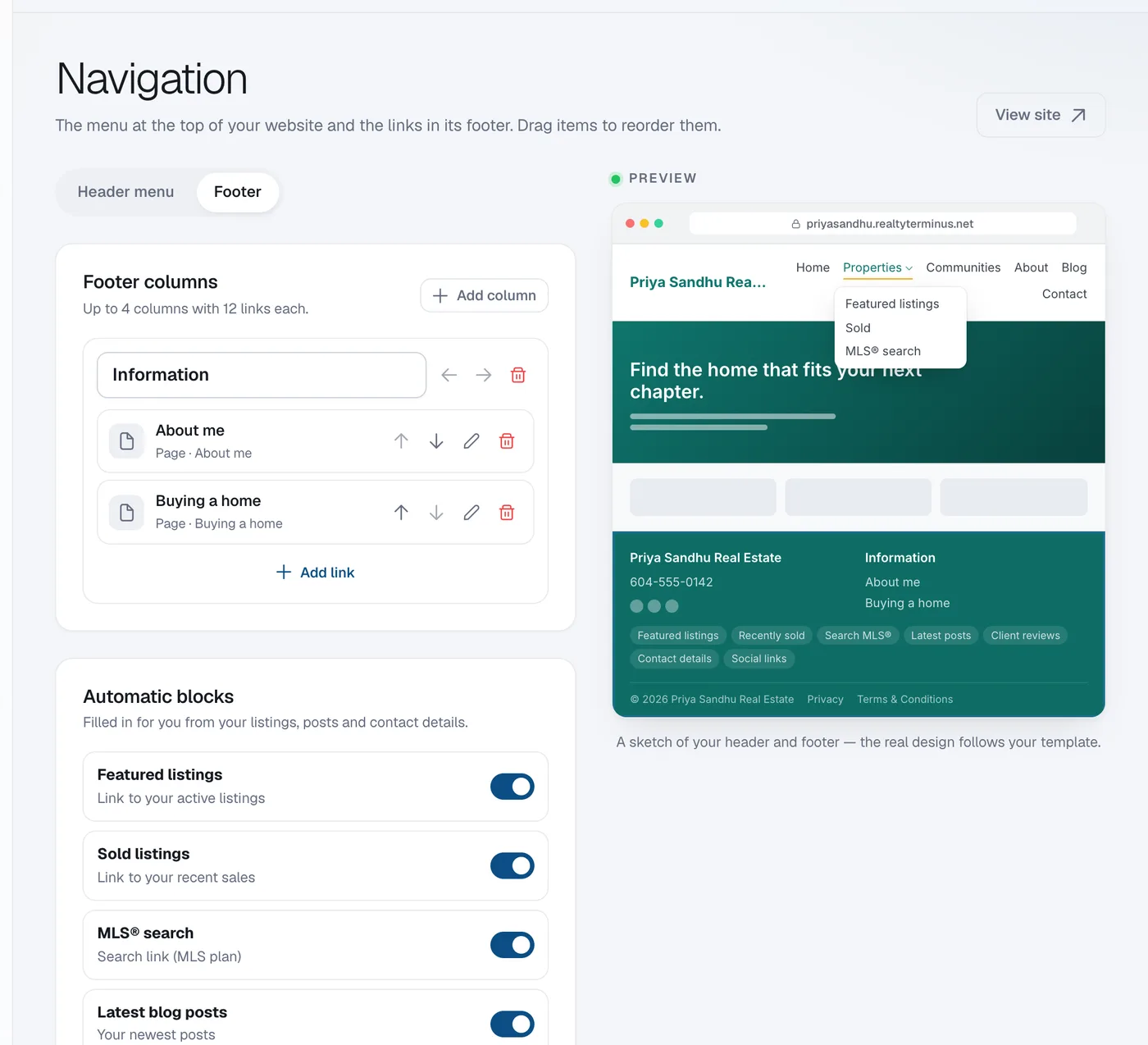
In Website, then Navigation, open the Footer tab, click Add column, give it a title, use Add link to add up to 12 links, then click Save.
Your footer can have up to 4 columns of links, with up to 12 links each. Automatic blocks (filled in from your listings, posts and contact details) and your legal pages are added for you.
Steps
Open the Footer tab
Go to Website → Navigation and click Footer at the top.
Add a column
Under Footer columns click Add column and type a Column title.
Add links
Click Add link, choose what to link to, check the label and click Add. Use the arrows to reorder links and columns.
Save
Click Save.
Questions
How do I change the Privacy or Terms pages?
They’re always linked at the bottom of every page. Edit their text under Pages.