
What does the Advanced SEO add-on include?
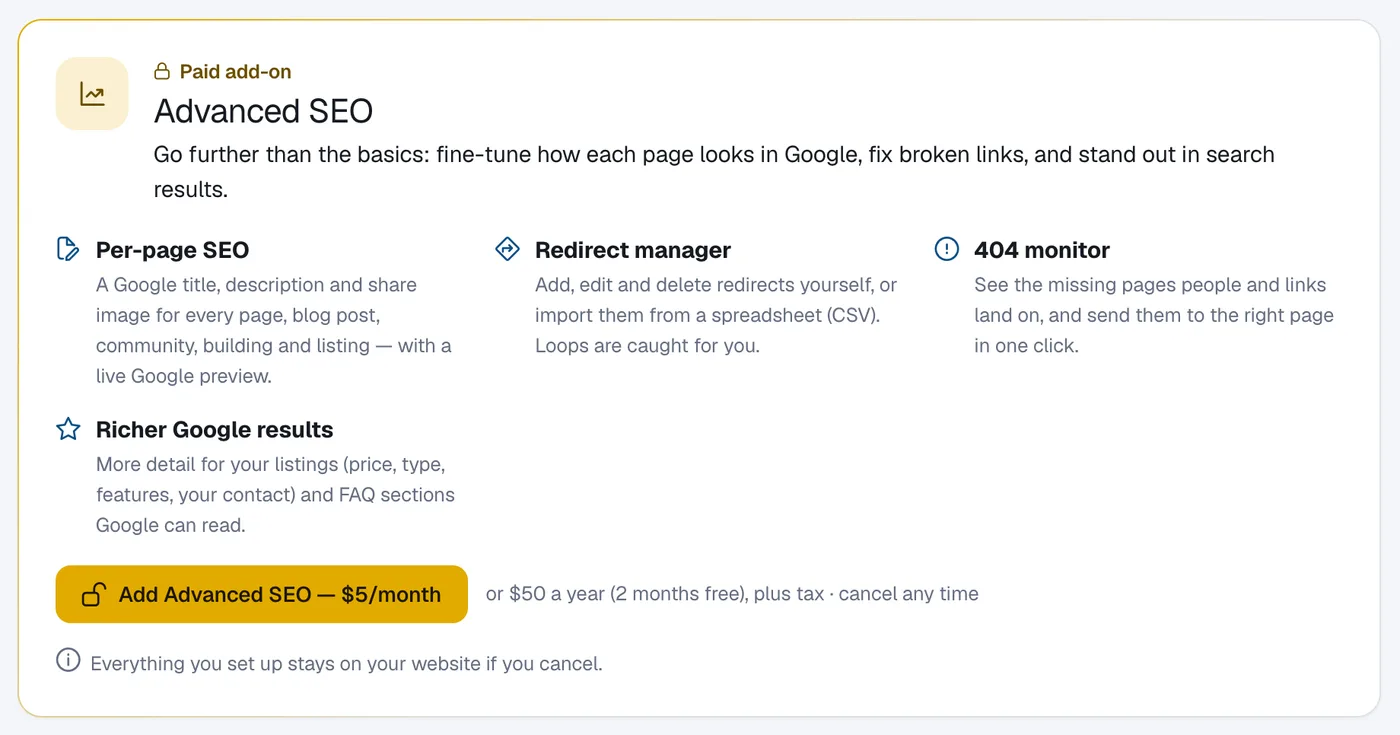
Advanced SEO adds per-page Google titles and descriptions in one place, a redirect manager with CSV import, a missing pages (404) monitor and richer Google results; add it in Website, then SEO.
SEO basics are free on every plan. Advanced SEO goes further: fine-tune how each page looks in Google, fix broken links, and stand out in search results. It’s $5 a month or $50 a year, plus applicable taxes.
Steps
Open SEO
Go to Website → SEO. The Advanced SEO panel lists what’s included.
Add it
Click Add Advanced SEO and then Continue to checkout. Once you’ve paid you come back to the SEO page.
Use the tools
Per-page SEO lists every page, post, community, building and listing with its Google preview: click Edit to change one. Redirects has Add redirect, Import CSV and Export CSV. Missing pages (404) shows the most visited missing addresses so you can send them to the right page.
Questions
What is in Richer Google results?
More detail for your listings (home type, price, features and you as the agent to contact), and FAQ sections: on a page or post, write each question as a heading ending in “?” with the answer below it.
What happens if I cancel?
Everything you set up stays on your website if you cancel.
Do old links keep working without Advanced SEO?
Yes. When you change the web address of a page, post, community, building or listing, the old address is redirected for you on every plan.