
How to reply to a lead by email
Open the lead in Leads, click Reply, write your message (or insert a quick reply) and click Send reply; their answer comes back to your contact email.
You can answer a lead straight from your admin. The email is sent in your name and the lead’s reply goes to your own contact email, so the conversation continues in your normal mailbox.
Steps
Open the lead
Click Leads in the menu and click the lead you want to answer.
Click Reply
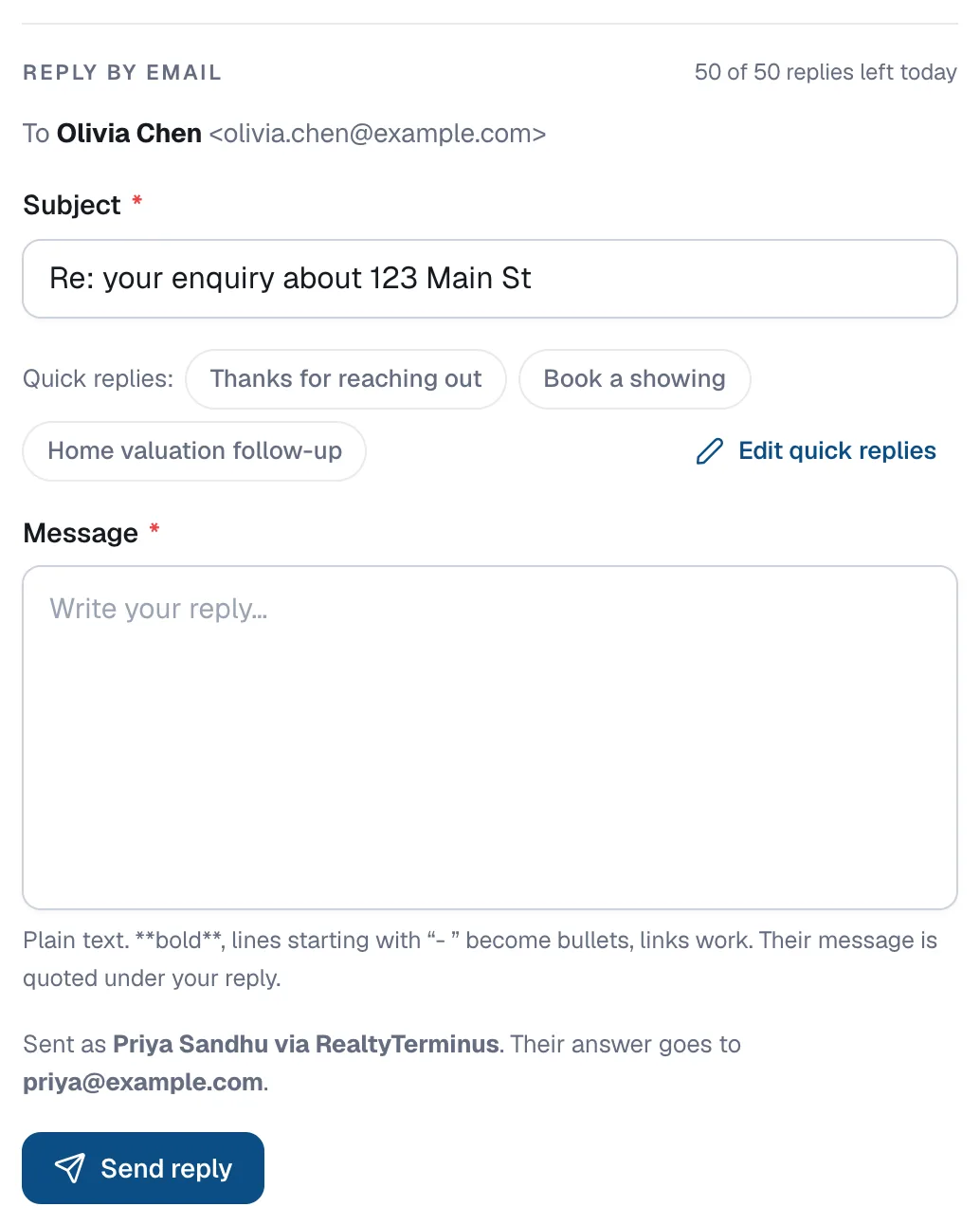
Click Reply. The Reply by email box opens below the lead’s details with the Subject filled in.
Write your message
Type in Message, or click one of the Quick replies (for example Thanks for reaching out, Book a showing or Home valuation follow-up) to insert a ready-made answer with the lead’s first name filled in. Click Undo to take it out again.
Send it
Click Send reply. It appears in the lead’s Activity and the lead is marked as contacted.
Questions
Can I change the quick replies?
Yes. Click Edit quick replies in the reply box to change their names and text.
The lead didn’t leave an email address. What now?
The reply box shows their phone number instead, with buttons to call or text them.
Is there a limit?
Each website can send up to 50 replies a day. The box shows how many you have left.